
LED dot matrix sign on a TV, with no LED panel
A TV can play a convincing LED dot matrix sign: a grid of glowing dots with words that scroll, wipe and sparkle in, pixel art that moves, and the time and weather that keep themselves up to date. On Dislab it’s a pixel board, and the same board can be lit as LEDs, flip-dots or warm bulbs. Words, the time, the date and the weather are free on your first screen.
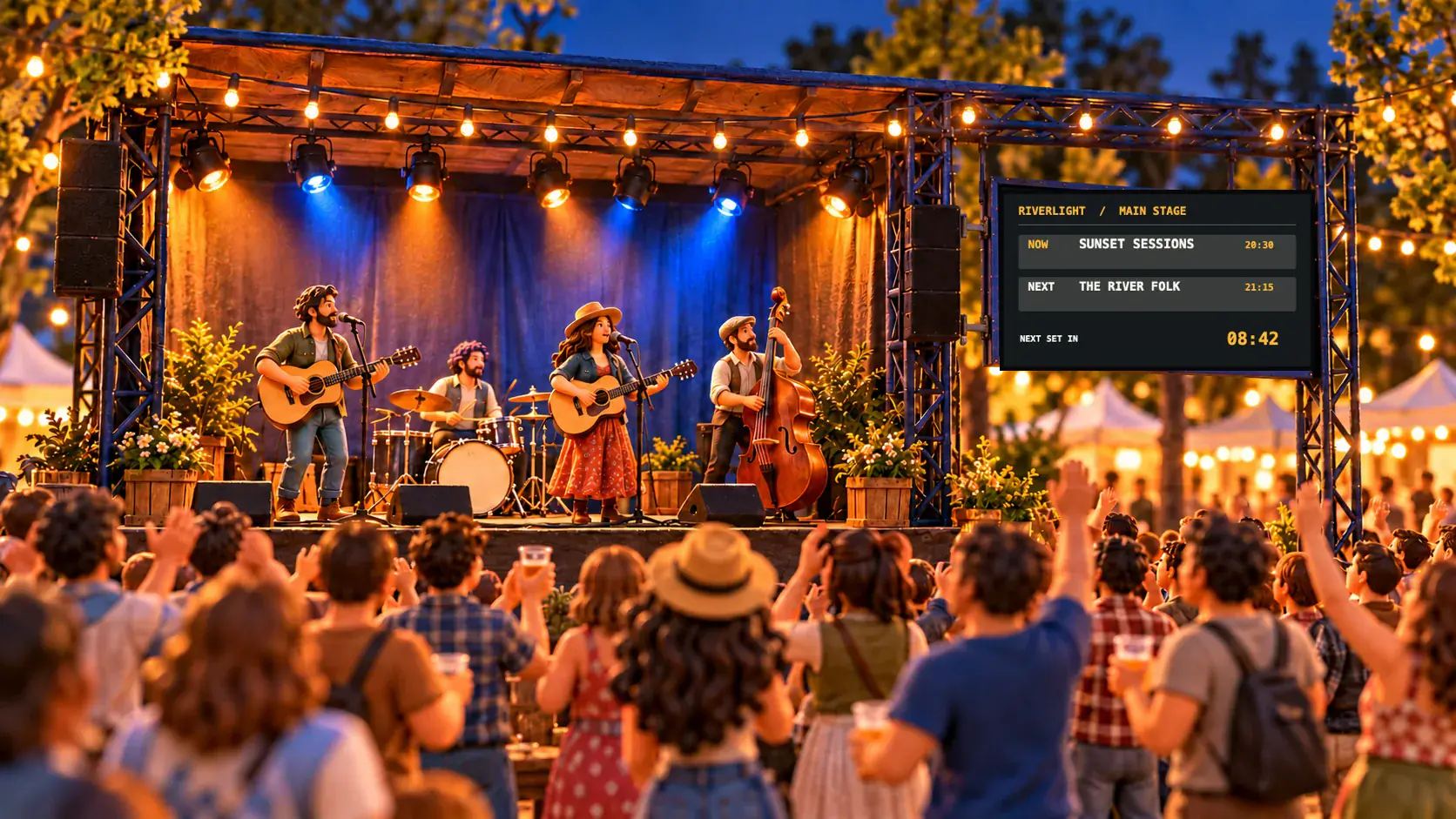
An LED panel or a TV?
A real LED sign is bright, tough and made for outdoors. It is also a fixed size, often programmed with a small remote or a fiddly app, and shows one colour or a handful. A TV indoors or in a shaded window gives you the look of an LED sign with things a panel can’t do:
- Full colour pixel art: a steaming cup, a burger, a trophy, your logo in dots.
- Live values: the time to the second, the date, the temperature, a countdown or a queue number.
- Changes from your phone in seconds, to one screen or every screen.
- Other looks on the same board: flip-dot discs like the front of a bus, or bulbs behind a grid like a theatre marquee.
Where a TV loses is direct sunlight. A screen facing a sunny street washes out; an outdoor LED panel doesn’t. For inside, a counter, or a window in shade, a TV is far cheaper and far easier to change.
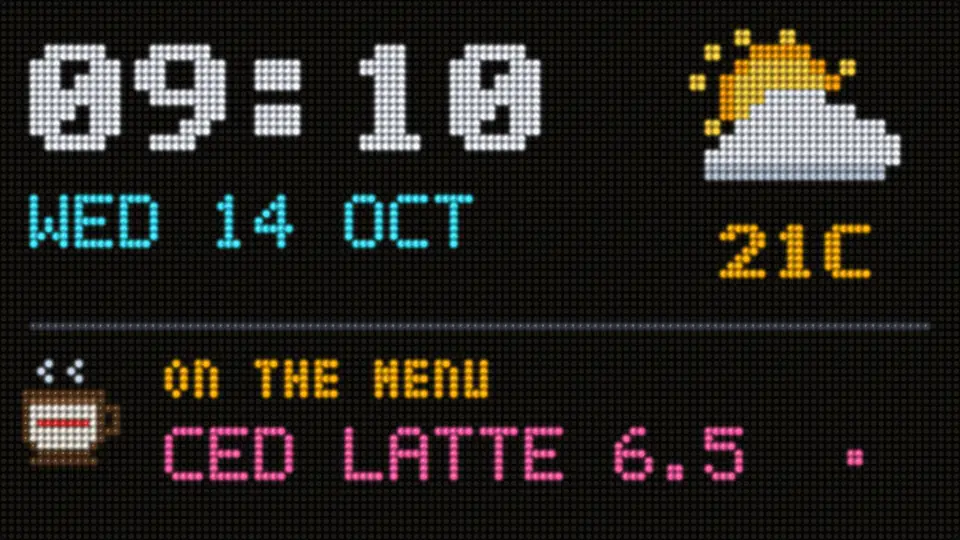
Make one, step by step
- Pair a TV with a supported stick, or open play.dislab.app on a computer. Which stick to buy.
- Start from a board. In Signs, open the templates and pick a pixel board: a café welcome, a shop window scroller, fresh coffee with a steaming cup, happy hour, departures, a stadium wall and more. Or in any sign choose Widgets › Pixel board.
- Pick a look. LED (glowing dots, in red, amber, green, blue or white), Flip-dot (discs that turn over in a ripple) or Bulbs (warm filaments behind a grid).
- Set the size. Set Dots across and Dots down, or press Fit the box. Fewer dots means bigger dots and a chunkier, more classic look.
- Add what goes on it. Under What’s on it, add + Words, a + Scrolling line, a + Sprite, a + Line or box or a + Chasing border. Drag anything on the board to move it.
- Choose how words come in. Just show it, scroll across, roll up, wipe in, flash, twinkle in, snow in or burst from the middle. Add more messages to show in turn.
- Add live values. Put the time, the date, the temperature or the weather in your words. On Pro, add a countdown, a Now serving number or your own live values.
- Save it and put it on the screen.

Pixel art and your logo
- Dislab’s own sprites, many of them moving: a steaming cup, a burger, a cone, a croissant, the weather, a trophy.
- Any icon or emoji, turned into dots in the board’s colour.
- Your logo, from your Brand kit or any picture, made into dots in its own colours or lit in the board’s one colour. A logo on a plain background works best; a busy photo turns into a blur at this size.
- Draw your own dot by dot, with frames for animation, and keep it in My sprites.
- Ask Dislab AI for “a steaming cup of coffee” and it draws one for 1 credit; Make it move gives you three ways for it to move for another credit.

Ideas for an LED sign
- Café window: “Fresh coffee” with a steaming cup, prices wiping in underneath. See screens for cafés.
- Gym: the time to the second, the next class and this month’s PBs. See screens for gyms.
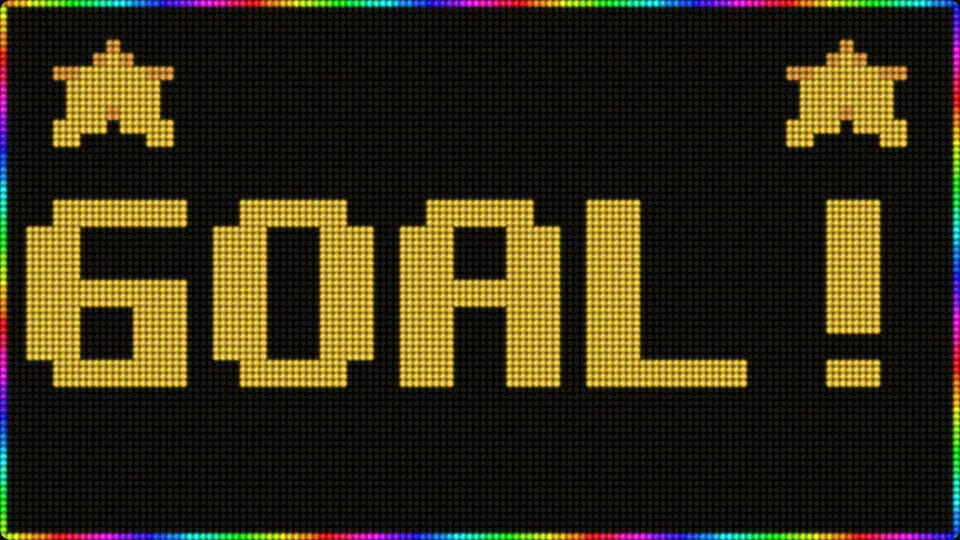
- Club rooms: GOAL! across a stadium wall, then the score. See screens for sports clubs.
- Bar: a quiz night board with bulbs flashing like a game show.
- Any shop: a scrolling line of today’s offers over the door.
Mistakes to avoid
- Too many dots for the words. A huge grid with small words loses the chunky LED feel. Make the dots bigger instead.
- Photos instead of pictures. Detailed photos don’t survive being turned into a few dozen dots. Use a logo, an icon or simple pixel art.
- Everything scrolling at once. One scrolling line is eye-catching; three are hard to read.
- Facing the sun. Keep the TV out of direct sunlight, or use a brighter screen.
Every dot is drawn live from the clock, so screens agree and the board keeps going offline. For other looks that were once real hardware, see a split-flap display on a TV and a neon sign on a TV, or every board on the pixel and LED page.
Questions
Do I need to buy an LED sign?
No. Any TV with a supported Fire TV, Google TV or Android TV stick, or a computer with a browser, shows the board. It looks like an LED sign on the TV and you change it from your phone or computer.
Which plan is it on?
Every plan. The free screen shows a pixel board with words, the time, the date and the weather, with a small “Powered by dislab.app” badge. Now serving numbers, countdowns and live values on a board come with Pro.
How many dots can a board have?
Up to 192 dots across. Each dot is really lit or dark: nothing is a photo of a sign.
Can it scroll text like a shop sign?
Yes. Add a scrolling line, or choose how each message comes in: scroll across, roll up, wipe in, flash, twinkle in, snow in or burst from the middle.
Can a flip-dot board make a sound?
Yes. A flip-dot board can click as its discs turn, through the TV’s speakers. It’s off until you turn it on.
Light up your first board
Pick a pixel board, type your words and put it on any TV. Your first screen is free, no card needed.
Related posts
 LooksHoliday and seasonal signs that change by dateSet up holiday and seasonal signs that go up before their day and come down after it, by themselves, every year, including holidays whose dates move.
 LooksHow to make a neon sign on a TV screenHow to make a neon sign on a TV screen: pick a neon design, type your words, choose the tube colour, and add the buzz and flicker. Free on your first screen.
 LooksDigital split-flap display for your TVA digital split-flap display on any TV: why Dislab’s board looks and sounds real, what it costs next to split-flap apps, close-ups and boards to copy.