
Add-ons: what your sidebar shows
Every planMenus, queue numbers, scoreboards and the other extras sit in your sidebar once turned on. Every one works whether it’s listed or not.
Every account can use every feature. Your sidebar always has Screens, Health, Media, Playlists and Signs. The extras (menu boards, Now serving, scoreboards, club tables, live values, QR codes and sign-ups, event photo walls and play reports) are add-ons, and to keep things simple your sidebar lists only the ones you’ve chosen. The ones recommended when you signed up are just a starting point: change them whenever you like.
- Open Add-ons. Each one has a picture of it on a screen and what it does.
- Turn its switch on and it’s added to your sidebar (on a phone, under More). Turn it off and it’s only hidden: nothing is deleted, and your screens keep showing it.
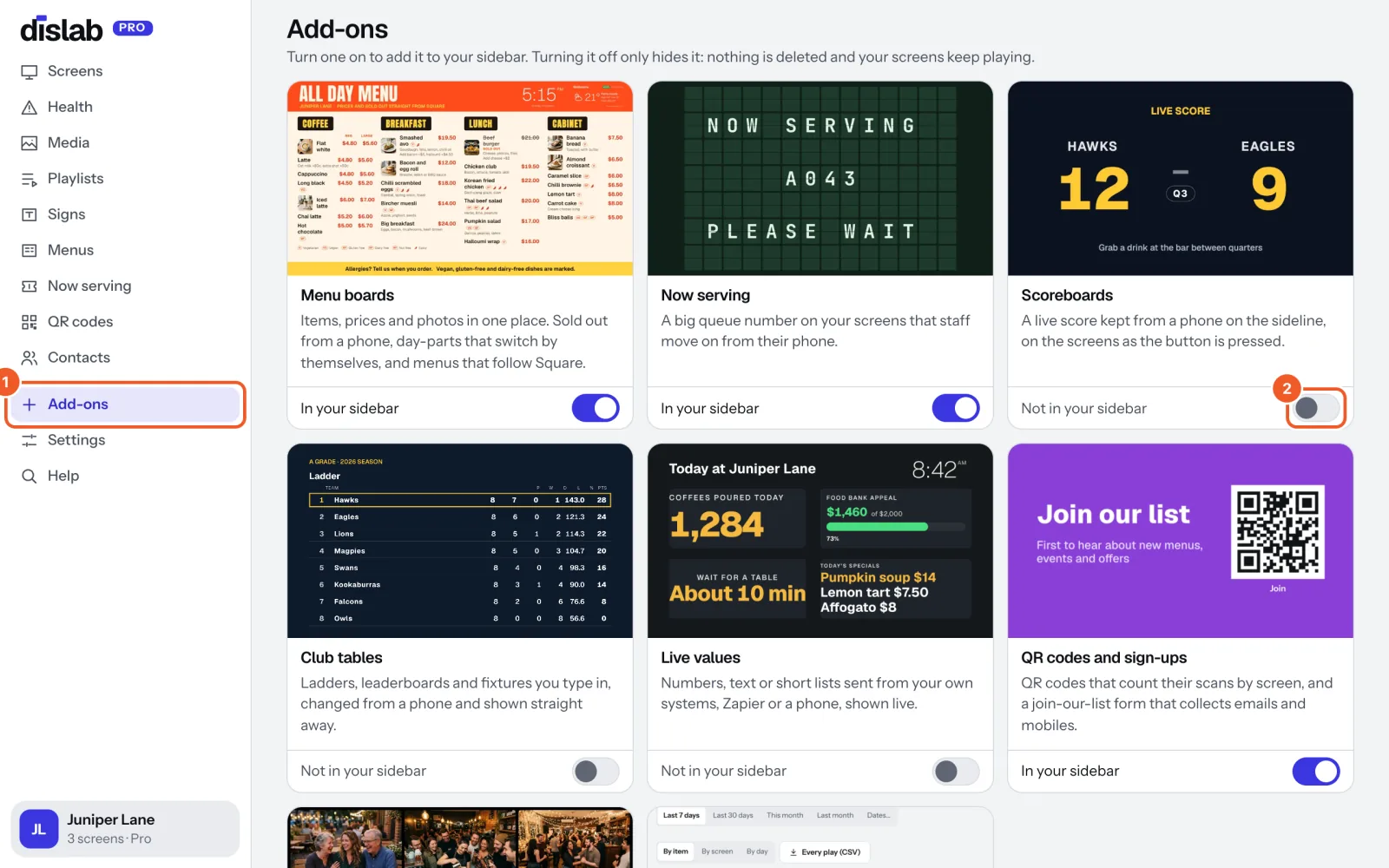
- Press its picture or name to open it straight away, switched on or not.
An add-on turns itself on the first time you make something with it: your first menu, scoreboard, table, QR code or event. Picking a template that needs one does it too.
The owner and managers choose what the sidebar lists, for everyone in the account. Staff always see their phone pages.
Some add-ons come with Pro and say so on their tile. You can still turn them on; their page says how to get Pro.
Thanks for telling us. If something’s missing, tell us what and we’ll add it.
Still stuck?
Email support@dislab.app, or send us a message. If it’s about a screen, tell us its name. We answer within one business day.