From the box to playing in about five minutes: plug it in, join Wi-Fi, install Dislab, pair it, and let it open by itself at power-up.
You need the stick, its power adapter, the TV, Wi-Fi, an Amazon account (for the Appstore) and your phone or computer.
Plug it in. Put the stick in a spare HDMI port on the TV, and its power adapter in a wall socket, not the TV’s USB port (that can switch off with the TV, or not give enough power). Turn the TV on and switch it to that HDMI input.
Set up the Fire TV. Follow its own steps: pair the remote, choose the language, join your Wi-Fi and sign in with an Amazon account. Skip the optional extras.
Install Dislab. On the Fire TV home screen, open Find (the magnifying glass), search for Dislab, choose it and press Get. The app is free; your plan is on your Dislab account.
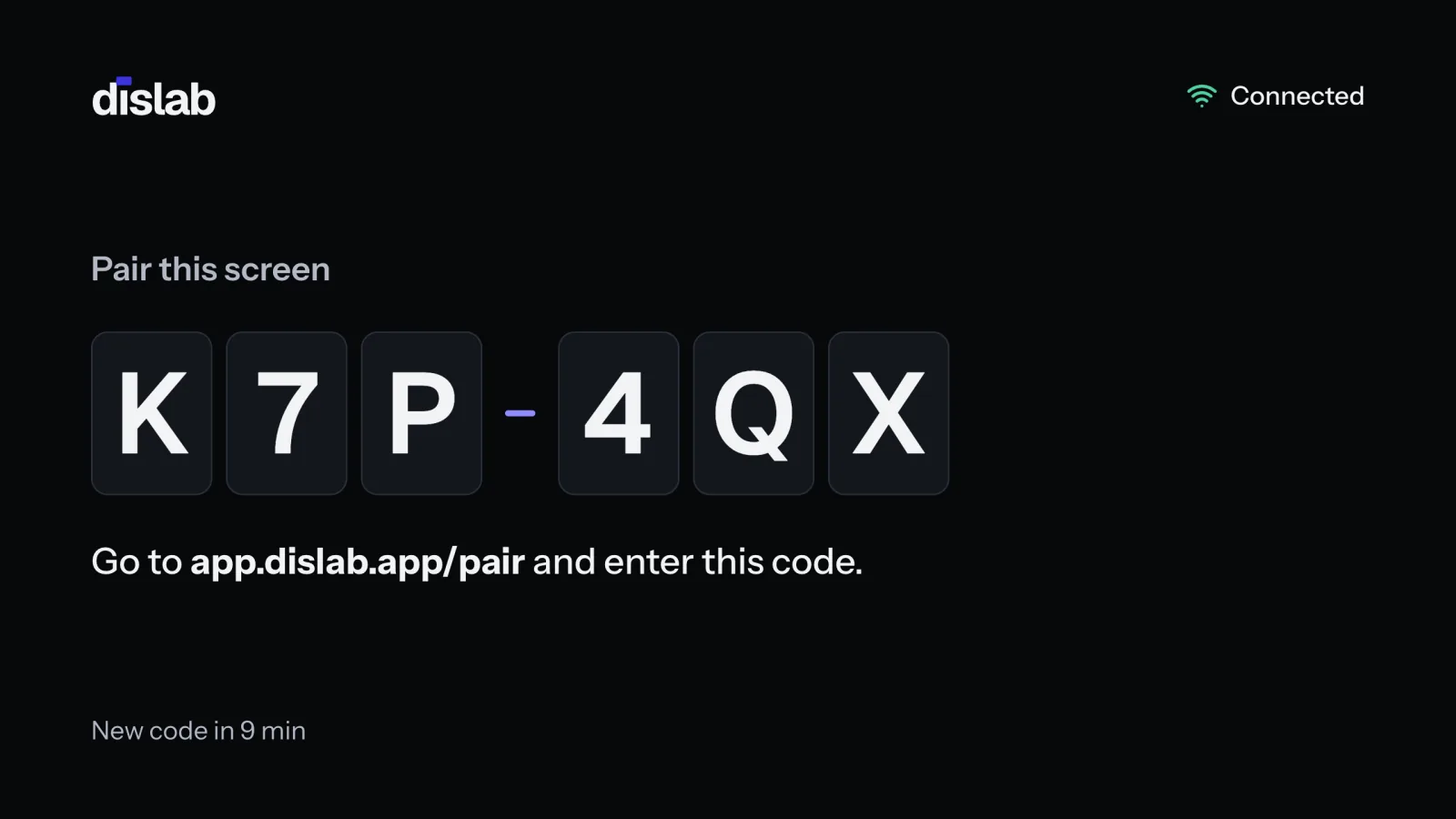
Open Dislab. It shows a 6-character code and the address to type it in. The code changes every 10 minutes; a new one appears by itself.
Pair it. On your phone or computer, go to app.dislab.app/pair (or Screens › Add screen), type the code, name the screen and choose what it plays. See Pairing a TV. The TV downloads everything, then starts playing.
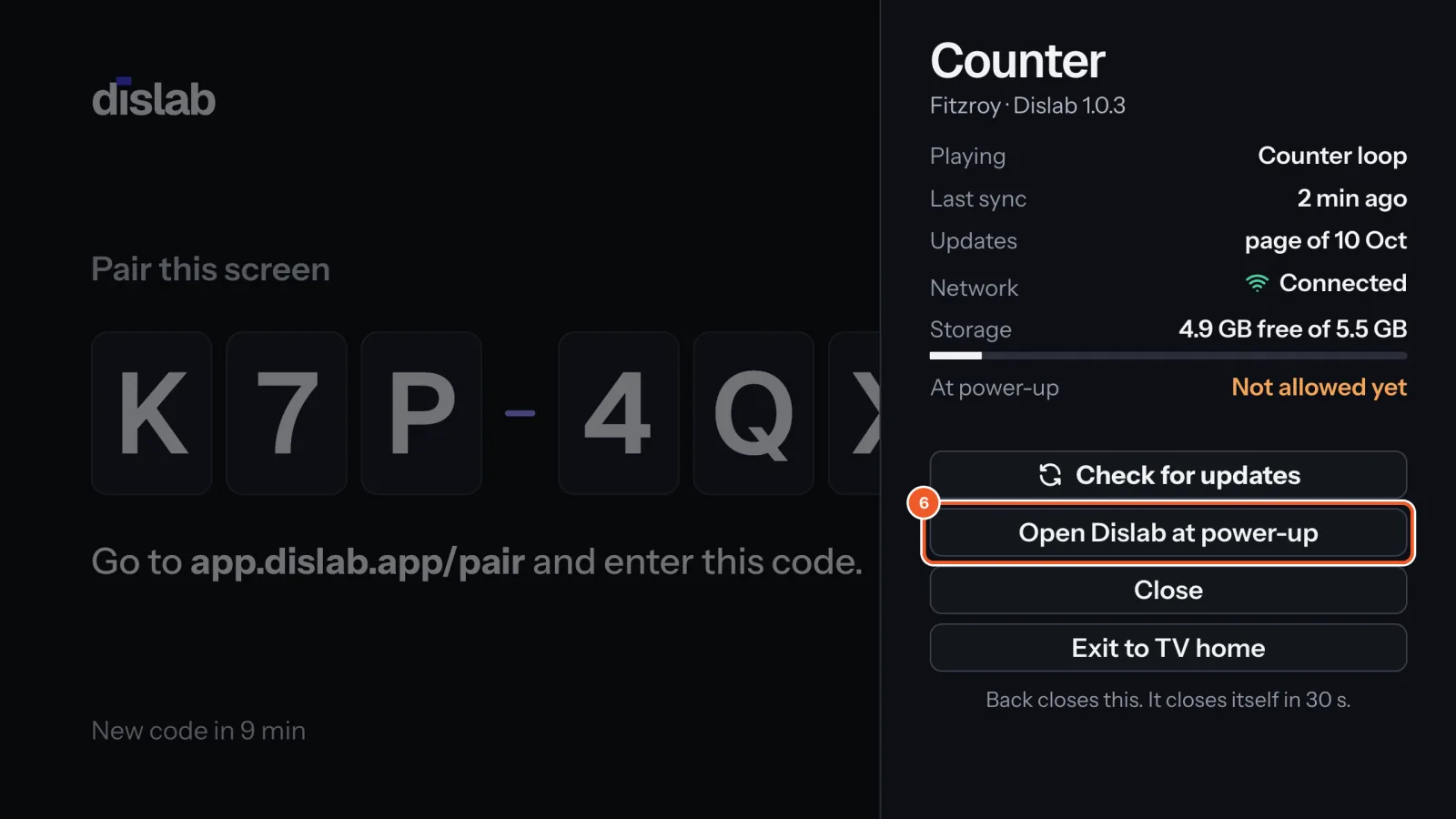
Let it open at power-up (Fire TV Stick 4K Max 2nd gen, 4K 2nd gen and 4K Plus, which run Fire OS 8). Press any button on the remote (OK is fine) to open Dislab’s menu. If At power-up says Not allowed yet, choose Open Dislab at power-up. The Fire TV opens its Display over other apps setting: switch it on for Dislab, then press Back.Older sticks (Fire OS 7 and earlier) open Dislab at power-up without asking, and the menu says Opens by itself.
Test it. Unplug the stick’s power for 10 seconds and plug it back in. The Fire TV home appears first; Dislab opens by itself within about a minute and carries on playing.
Living with it
Any button on the remote opens Dislab’s menu, except volume, which stays with the TV. The menu closes itself after 30 seconds.
Exit to TV home leaves Dislab. Open it again from Your Apps on the Fire TV home, or restart the stick.
The stick never sleeps while Dislab is playing, so there’s no screensaver to switch off.
Weak Wi-Fi behind the TV? An HDMI extender cable moves the stick out from behind the TV, or use Amazon’s Ethernet adapter.