
Locations
Each shop is a location with its own screens, time zone, opening hours, holidays and weather town.
- Open Locations and press Add location. Give it a Name (the suburb or shop name) and, if you like, its address, then press Add location again.
- Time zone: leave it the same as the account, or choose the location’s own if it’s in another state or country. It saves when you choose.
- Opening hours: its hours and holidays (Opening hours and holidays).
- Weather town: the town whose weather its weather rules follow (Weather town).
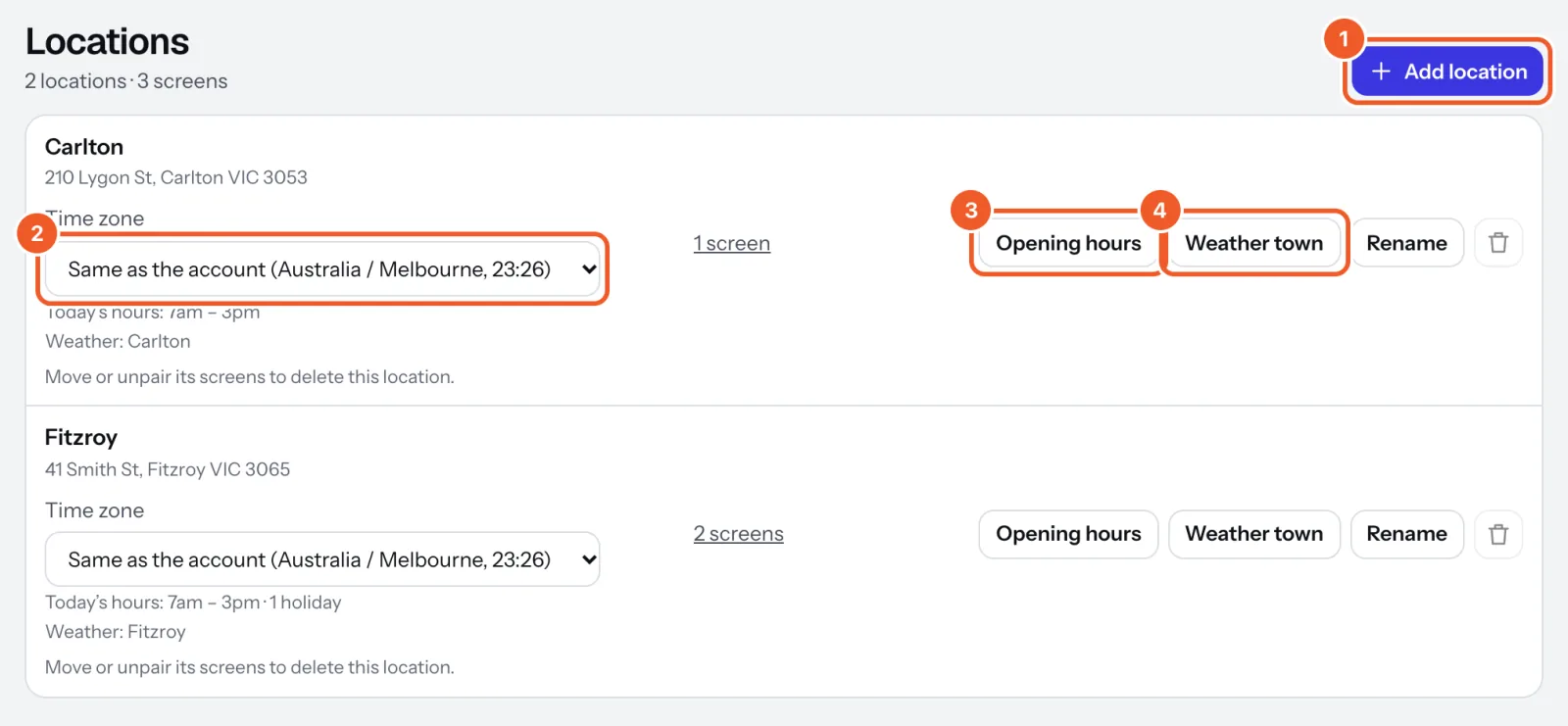
Each screen belongs to one location, chosen when you pair it and changed on the screen’s page. Rename changes a location’s name. A location can only be deleted once its screens are moved or unpaired.
Free covers one location; Pro has as many as you like.
Thanks for telling us. If something’s missing, tell us what and we’ll add it.
Still stuck?
Email support@dislab.app, or send us a message. If it’s about a screen, tell us its name. We answer within one business day.