
Signing in and your password
Sign in with a password or an emailed link; reset a forgotten password from the sign-in page.
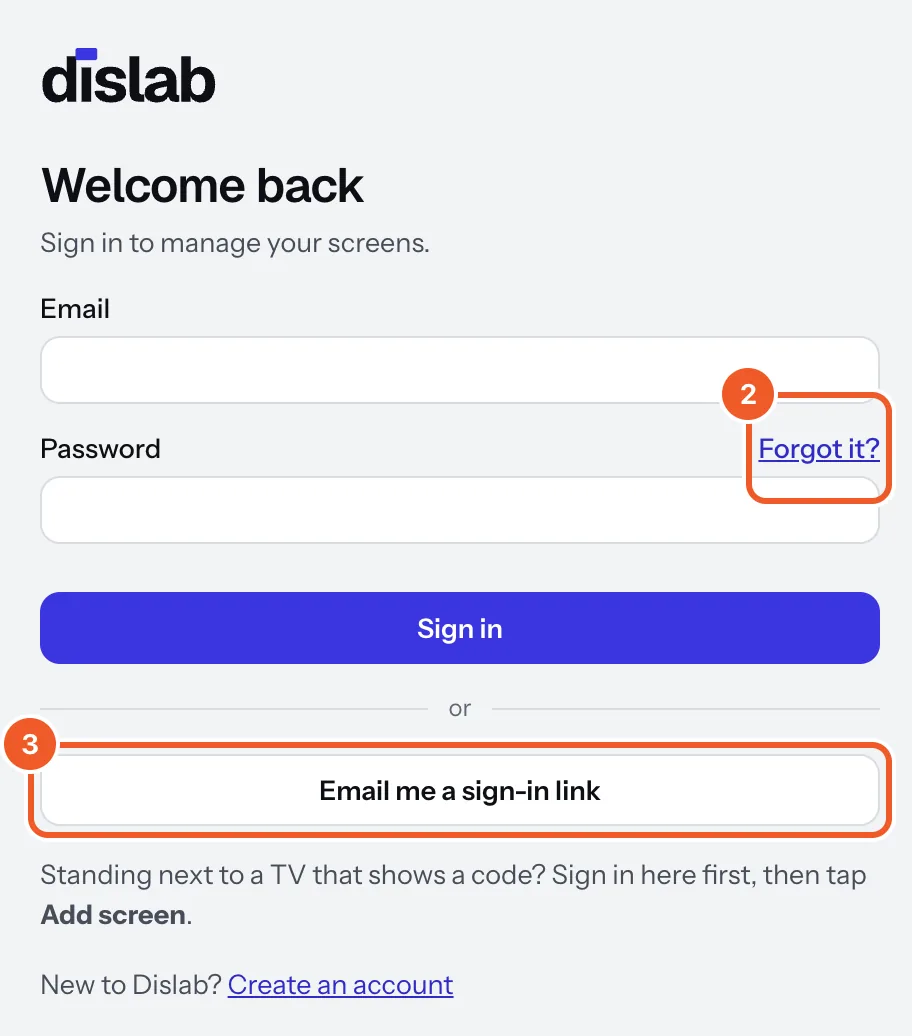
- At app.dislab.app, type your email and password and press Sign in.
- Forgotten it? Press Forgot it?, type your email and press Email me the link. The link works for 30 minutes and opens Choose a new password.
- No password to hand? Type your email and press Email me a sign-in link, then open the link in the email.
To change your password while signed in, press Change password in Settings, type a new one and press Save new password. If it says this needs a recent sign-in, sign out and use Forgot it? instead.
Passwords need at least 10 characters. Each person in your account has their own login (People in your account), so there’s no need to share yours. Sign out is near the bottom of Settings.
Thanks for telling us. If something’s missing, tell us what and we’ll add it.
Still stuck?
Email support@dislab.app, or send us a message. If it’s about a screen, tell us its name. We answer within one business day.