
Sign templates
Every planReady-made signs for offers, welcomes, queues, menus, boards and events, yours to change.
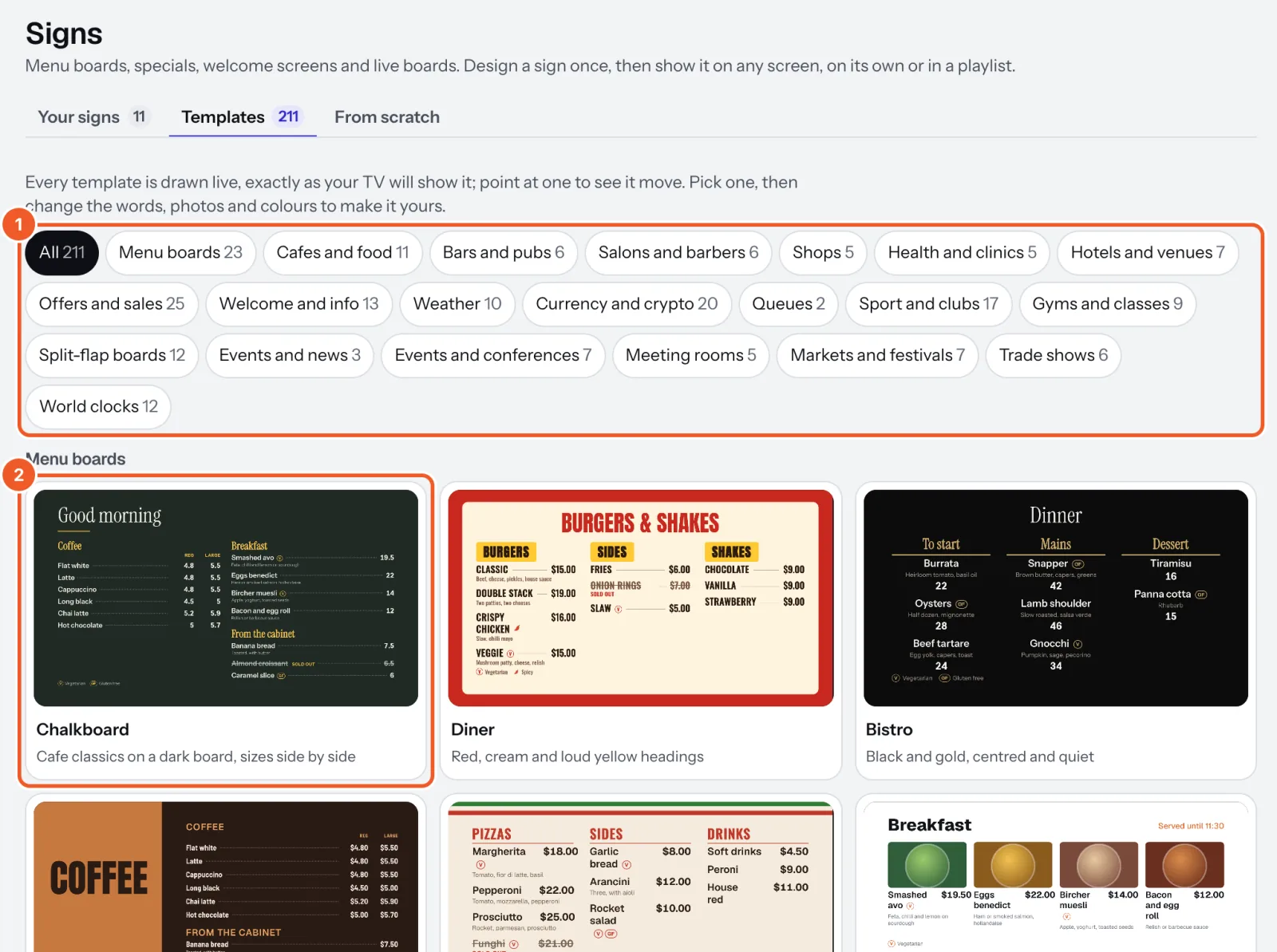
- Open Signs and choose Templates. Press a kind to see only those: menu boards, offers and sales, welcome and info, weather, currency and crypto, queues, sport and clubs, gyms and classes, split-flap boards, events, meeting rooms, markets and festivals, trade shows and world clocks.
- Point at a template to see it move, and press the one you want.
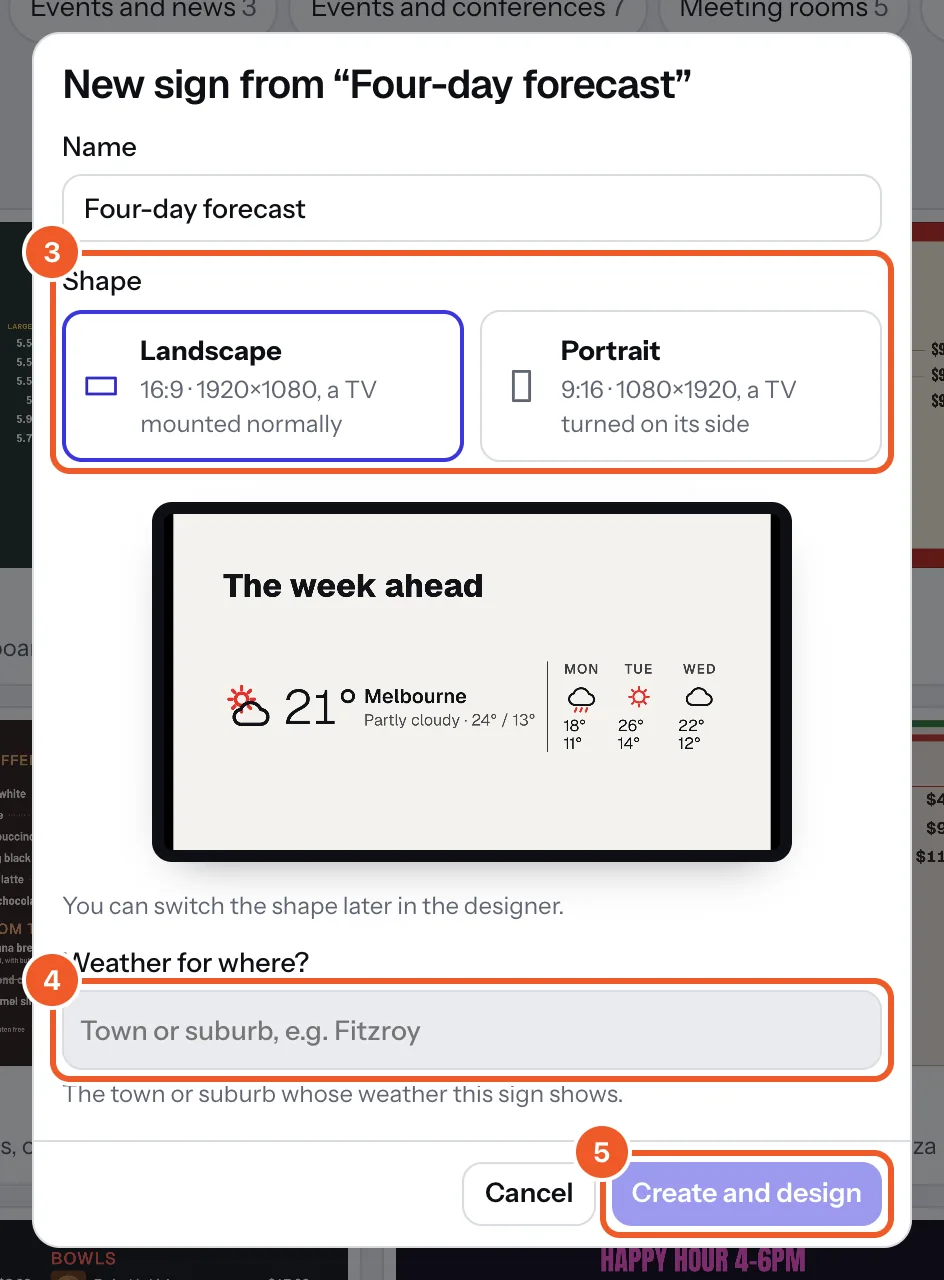
- Name your sign and choose Landscape or Portrait; the picture shows how it will start.
- Some templates ask one more thing: weather templates ask Weather for where? (type the town and pick it); menu boards ask Which menu? (yours, or a new one filled with sample items). Now serving and score templates use your first counter or scoreboard, and club templates your table of that kind (or make one with example rows).
- Press Create and design. Dislab makes a copy that’s yours to change: words, photos, colours, anything.
On Free, templates with widgets that come with Pro are marked Pro.
Thanks for telling us. If something’s missing, tell us what and we’ll add it.
Still stuck?
Email support@dislab.app, or send us a message. If it’s about a screen, tell us its name. We answer within one business day.