
Landscape or portrait signs
Every planSwitch a sign between 16:9 for a TV mounted normally and 9:16 for a TV on its side.
- In the designer, press 16:9 (landscape) or 9:16 (portrait) at the top. Every layer keeps its size where it fits and moves to the same spot on the new shape, so check the layout and tidy it up.
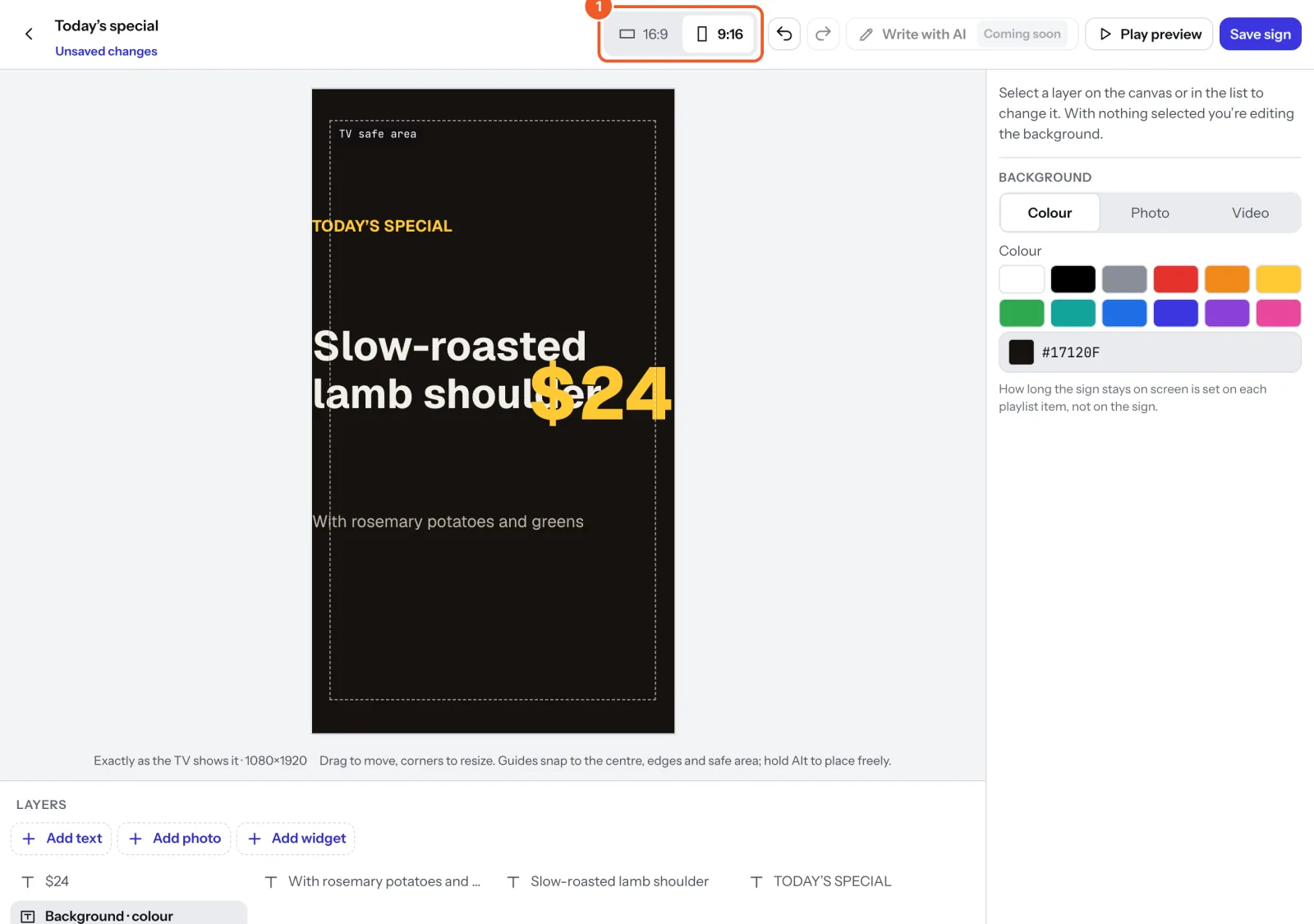
- Press Save sign. Undo puts it back if you change your mind before saving.
A portrait sign is for a TV mounted on its side. Tell Dislab which way the TV is turned on the screen’s page (screen settings); the TV then shows the sign the right way up. Many templates have their own portrait design, chosen when you make the sign.
Thanks for telling us. If something’s missing, tell us what and we’ll add it.
Still stuck?
Email support@dislab.app, or send us a message. If it’s about a screen, tell us its name. We answer within one business day.