
Weather rules: play something only in the right weather
Every planPlay an item only when it’s raining, sunny, or above or below a temperature.
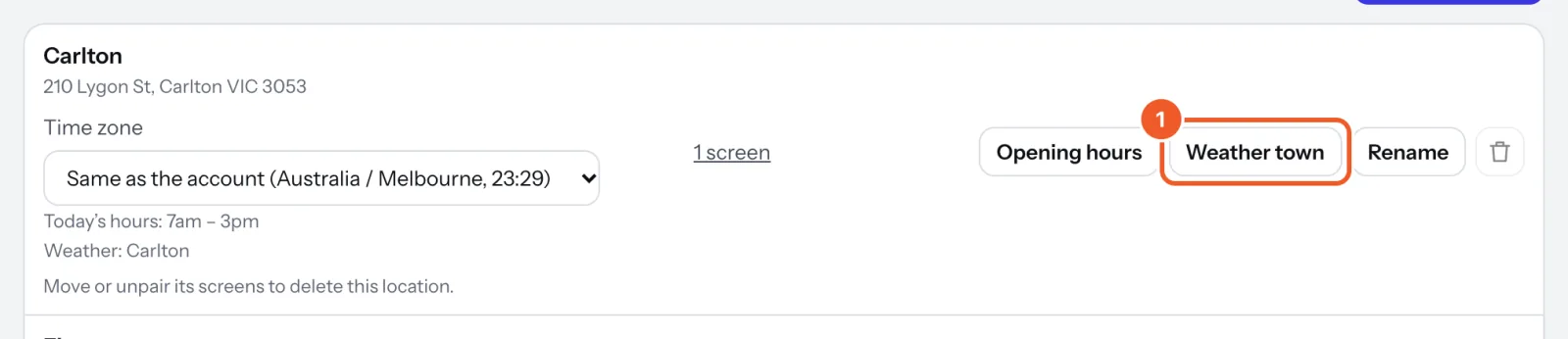
- In Locations, press Weather town on the location and pick the town or suburb its screens follow. Every location with a weather rule needs one.
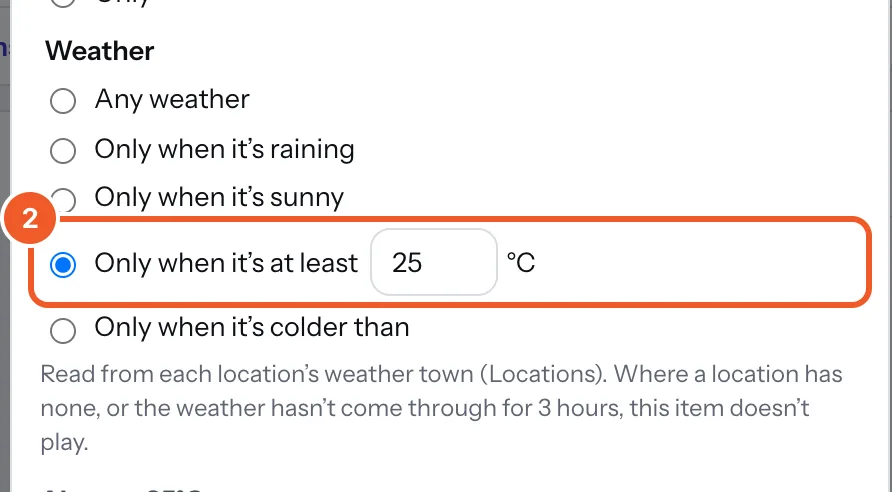
- In a playlist, press Always (or Schedule) on the item. Under Weather, choose Only when it’s raining, Only when it’s sunny, Only when it’s at least a temperature, or Only when it’s colder than one (whole degrees Celsius).
- Press Done, then Save. The row shows the rule, like “25°C or warmer”.
Raining means drizzle, rain, showers or storms. Sunny means clear or mostly clear, in daylight. “At least 25” includes 25; “colder than 15” means 14 and below.
Weather rules combine with schedules (rainy weekday mornings only). Weather is checked about every half hour, and offline screens use the last reading for up to 3 hours. With no weather town or no recent reading, those items don’t play, so keep at least one item without rules. The playlist warns you if a location showing it has no weather town.
Thanks for telling us. If something’s missing, tell us what and we’ll add it.
Still stuck?
Email support@dislab.app, or send us a message. If it’s about a screen, tell us its name. We answer within one business day.