
Live values: numbers from your own systems
ProYour till, spreadsheet or app sends a number, text or list; screens show it within seconds.
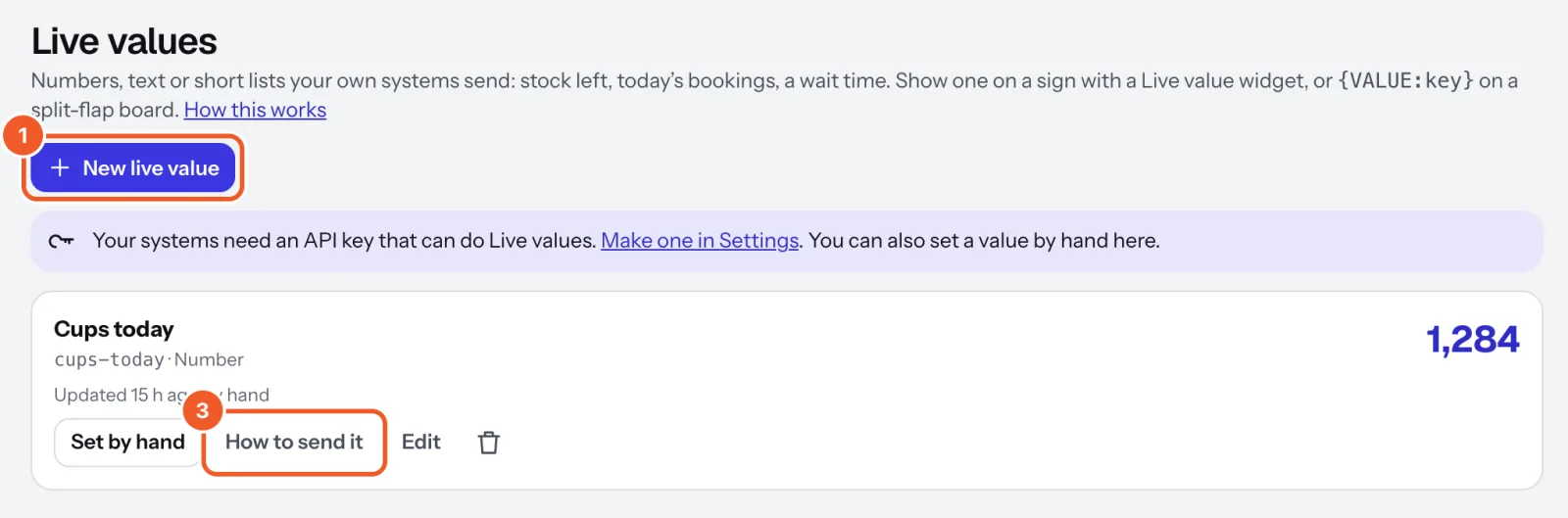
- Open Live values, press New live value, and give it a name, a short key (
croissants) and a type. - Make an API key in Settings and copy it straight away; it’s shown once.
- Press How to send it for copy-paste examples (command line, Python, JavaScript, Google Sheets, Zapier).
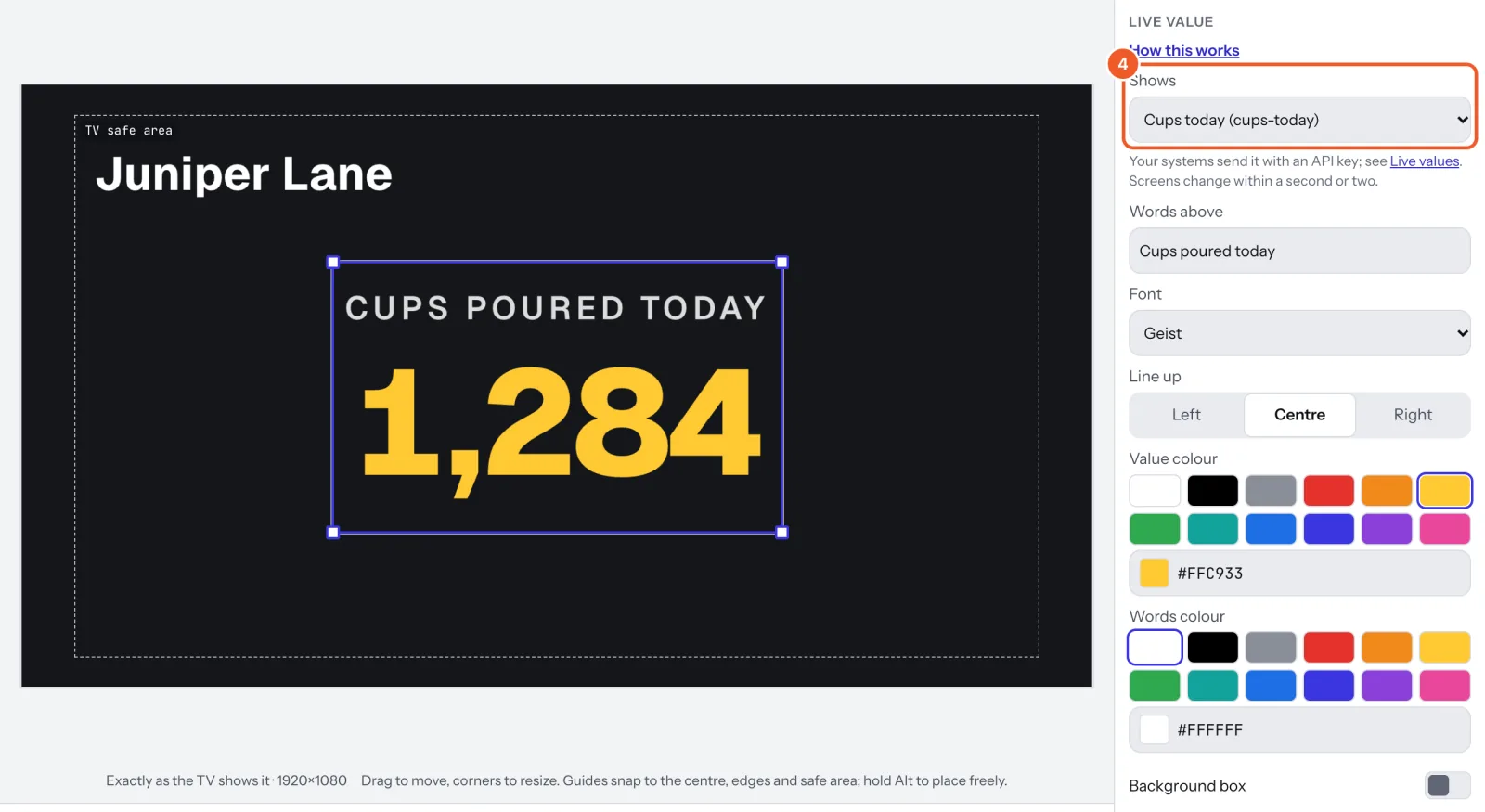
- In a sign, choose Add widget › Live value and pick it, or put it in a split-flap row. Set the Words above, the font, Line up and colours.
Each value can show “—” when it hasn’t been updated for a while. Set by hand works too. Up to 60 updates a minute; shown as plain text only.
Thanks for telling us. If something’s missing, tell us what and we’ll add it.
Still stuck?
Email support@dislab.app, or send us a message. If it’s about a screen, tell us its name. We answer within one business day.