
Split-flap board
ProLetters that flip into place like an airport departures board, with live values in rows.
- In a sign, choose Add widget › Split-flap board. It fills the sign. Pick a Look: Classic airport, Station or Colour. Every colour and the font can still change under Style.
- Set Letters across: fewer means bigger tiles.
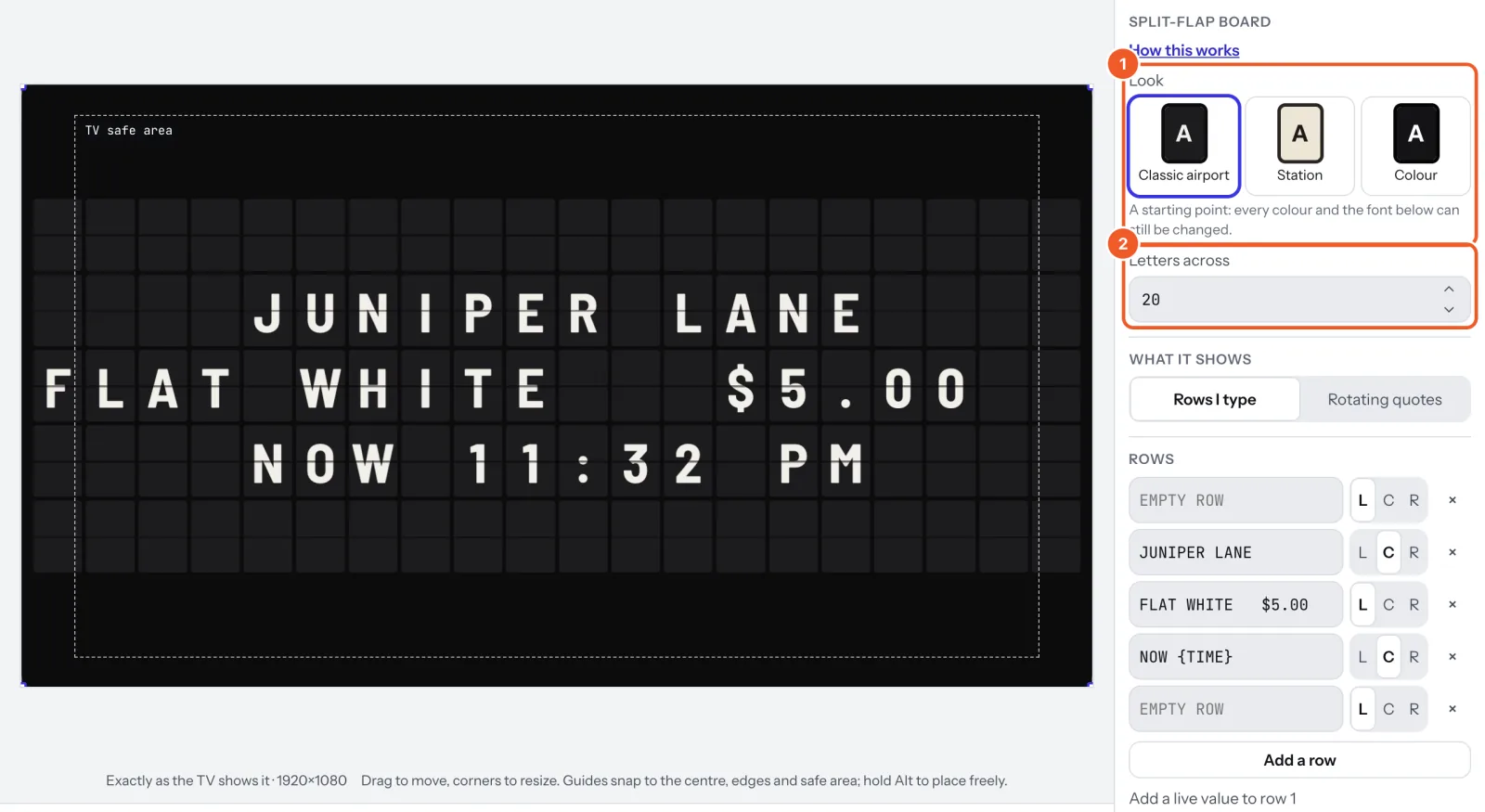
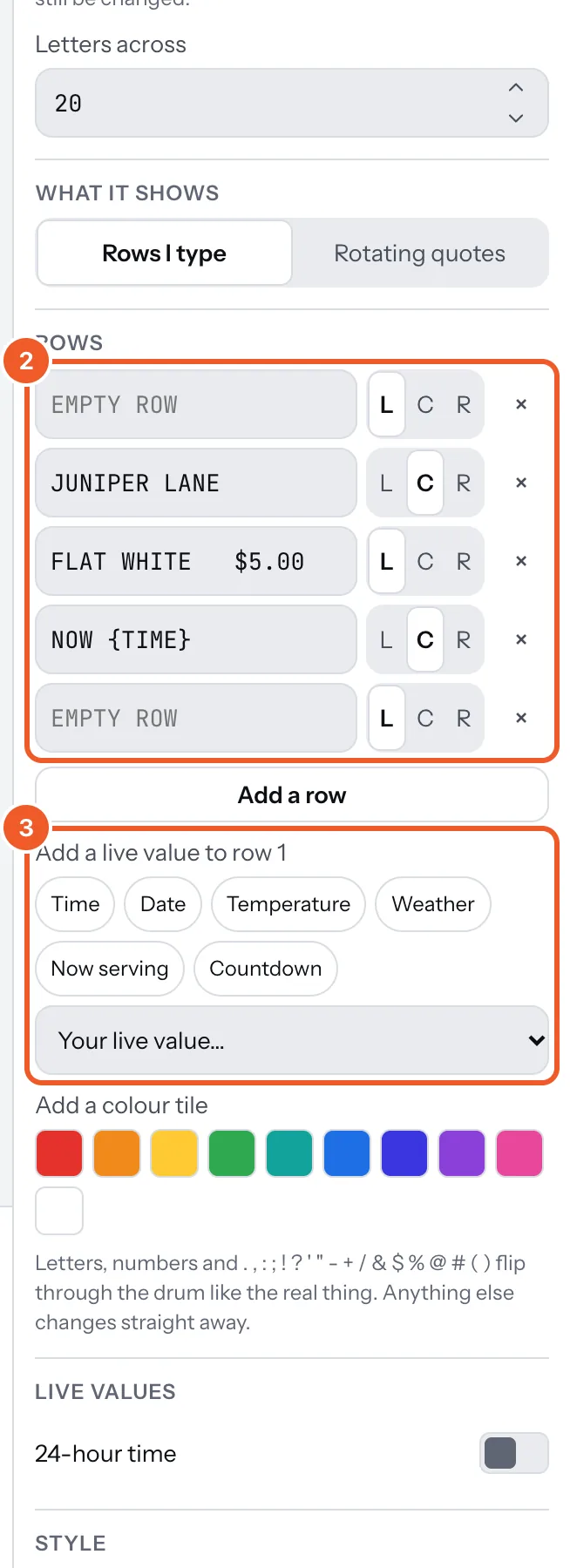
- Under Rows, type each row and line it up left, centre or right (L, C, R). Add a row adds one, up to 24; the cross removes one. A row longer than the board is cut off, and the panel says so.
- Click in a row, then press Time, Date, Temperature, Weather, Now serving or Countdown to put a live value there, or one of your own live values. A colour under Add a colour tile adds a plain coloured tile. Set where live values come from (the town, the counter, the date) under Live values.
- Under Motion and sound, set the Flip speed and how the Tiles start (together, rippled or a slow wave). The Click-clack sound is off until you turn it on.
Only changed tiles flip. To keep it flipping all day, set What it shows to Rotating quotes: see Quotes.
Thanks for telling us. If something’s missing, tell us what and we’ll add it.
Still stuck?
Email support@dislab.app, or send us a message. If it’s about a screen, tell us its name. We answer within one business day.