
Day-parts: breakfast, lunch and dinner
ProGive each category its times and the board switches from breakfast to lunch by itself.
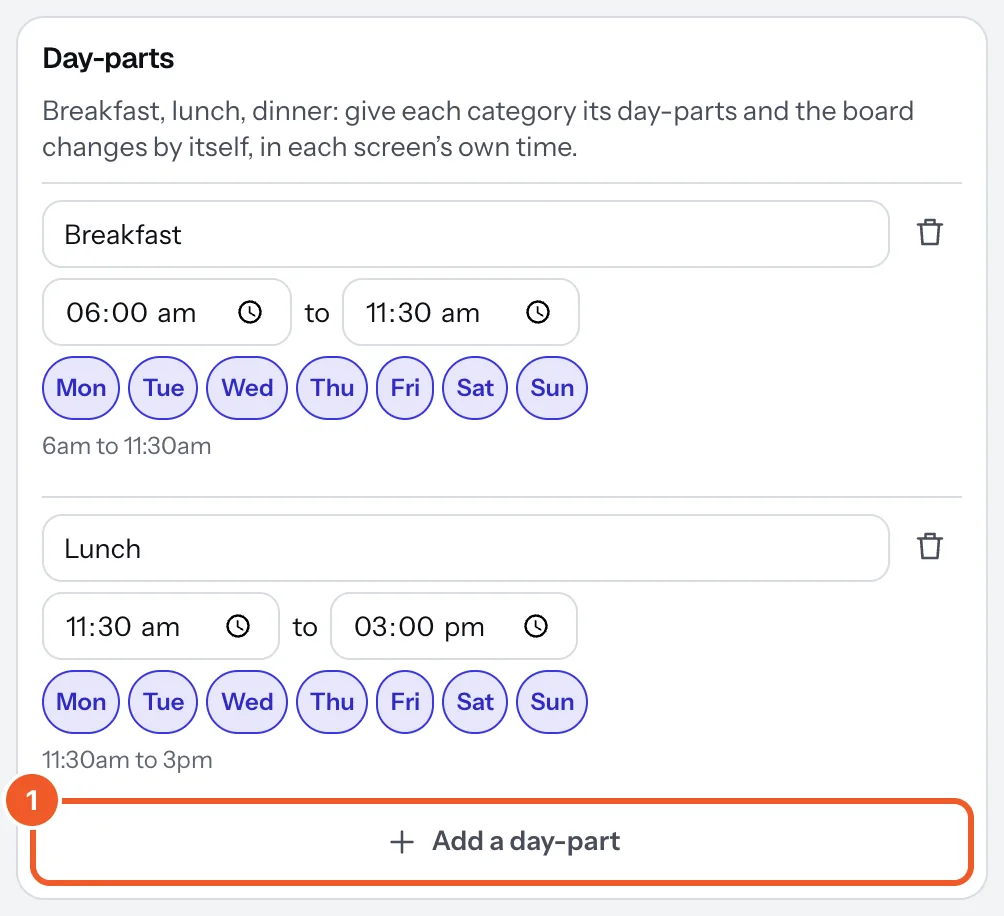
- In the menu's Settings tab, under Day-parts, press Add a day-part. Name it, set its start and end, and untick any days it doesn’t run (weekend brunch, say). One can run past midnight.
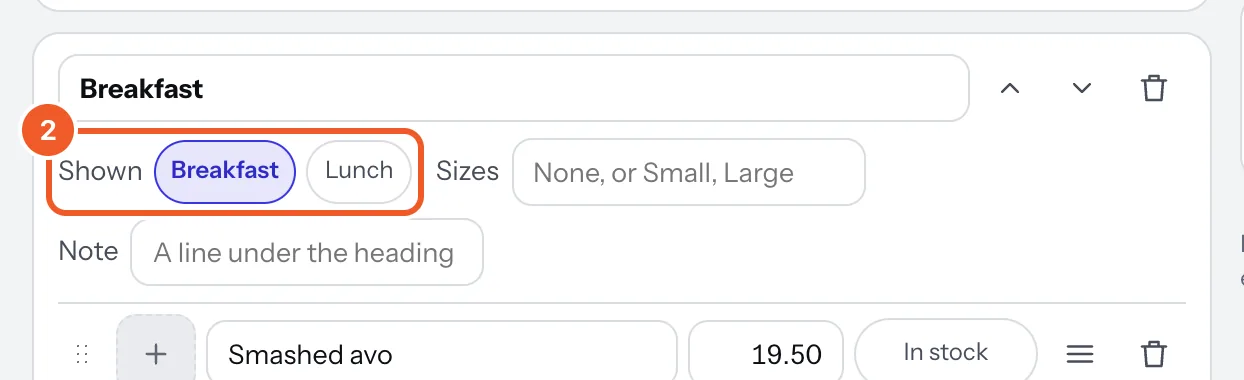
- On each category, press the day-parts it belongs to beside Shown. A category with none pressed shows all day.
- Check it in the preview: Showing lets you see the board at each time of day. Then press Publish.
Each screen switches by itself at its own local time (its location’s time zone), and keeps doing so offline. Outside every day-part, only the categories with none show.
Thanks for telling us. If something’s missing, tell us what and we’ll add it.
Still stuck?
Email support@dislab.app, or send us a message. If it’s about a screen, tell us its name. We answer within one business day.