
Screen health and alerts
Every planSee every screen’s status at a glance, and get emails when one goes offline or gets stuck.
- Open Health. The boxes at the top count screens online, offline and downloading.
- The table lists every screen, problems first: online or offline (and for how long), whether its content is Up to date or still downloading, the room left on the TV stick itself (Free on the TV; your plan’s storage is on Storage), and the app version. Alert sent or Slow to download marks a screen with an open alert.
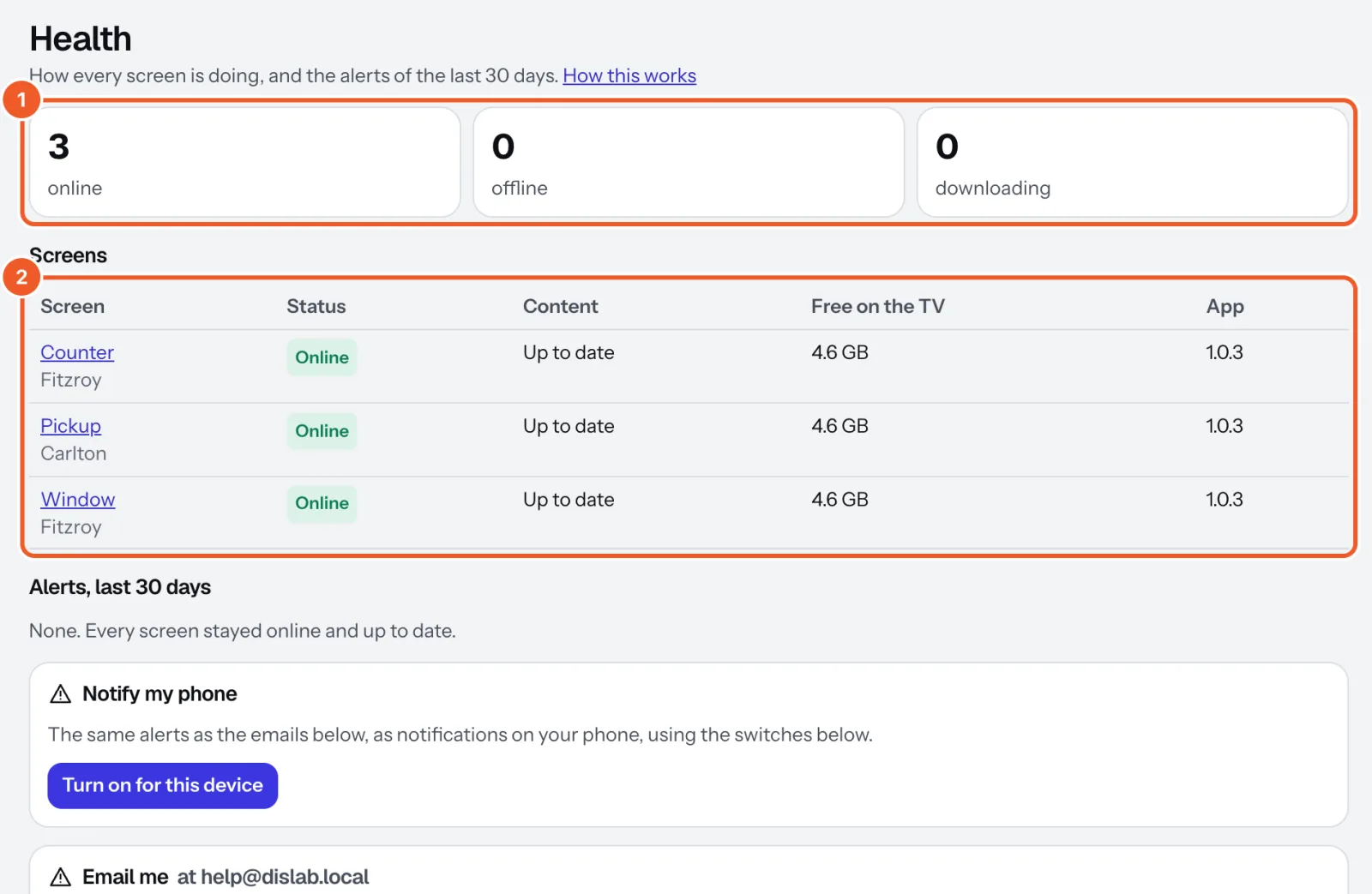
- Below, Alerts, last 30 days lists each alert, when it started and how long it lasted.
- Under Email me, tick the emails you want. They go to your sign-in email.
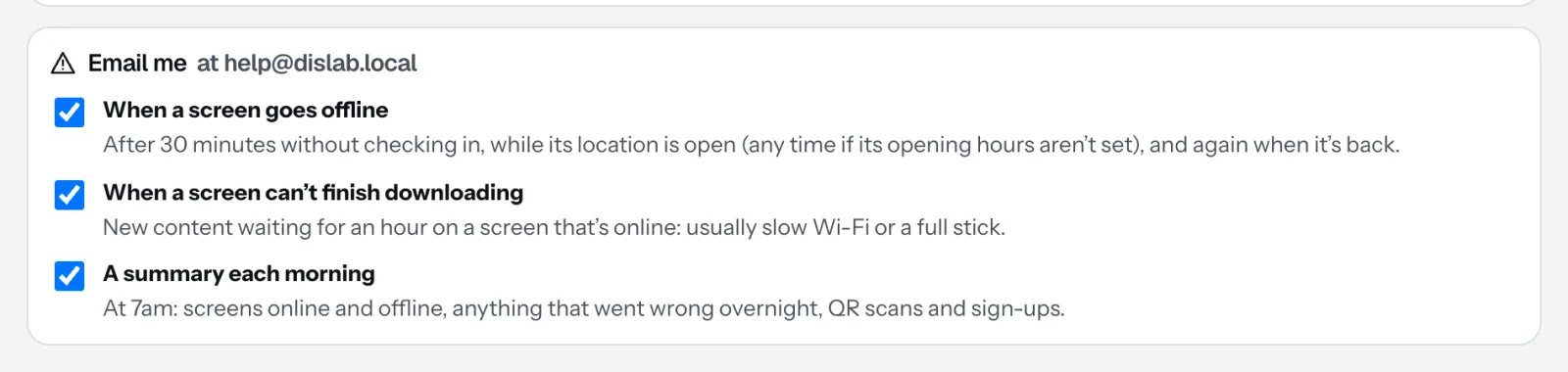
- When a screen goes offline: after 30 minutes while its location is open, and again when it’s back. Set opening hours so TVs off overnight don’t email you.
- When a screen can’t finish downloading: content waiting an hour, usually slow Wi-Fi or a full stick.
- A summary each morning: at 7am in your time zone, screens online and offline, overnight problems, QR scans and sign-ups.
The same alerts can come to your phone as notifications: see Alerts on your phone.
A screen keeps playing with no internet, but it confirms your subscription when it checks in. If one hasn’t checked in and is within 5 days of running out (your renewal date plus 3 days), Health and Screens warn you; past that date it stops playing and shows “Connect to the internet to confirm your subscription” until it connects.
Thanks for telling us. If something’s missing, tell us what and we’ll add it.
Still stuck?
Email support@dislab.app, or send us a message. If it’s about a screen, tell us its name. We answer within one business day.