
Markdowns: prices that change by themselves
ProHalf price in the last hour, $1 off ice cream on hot days: the board crosses out the old price.
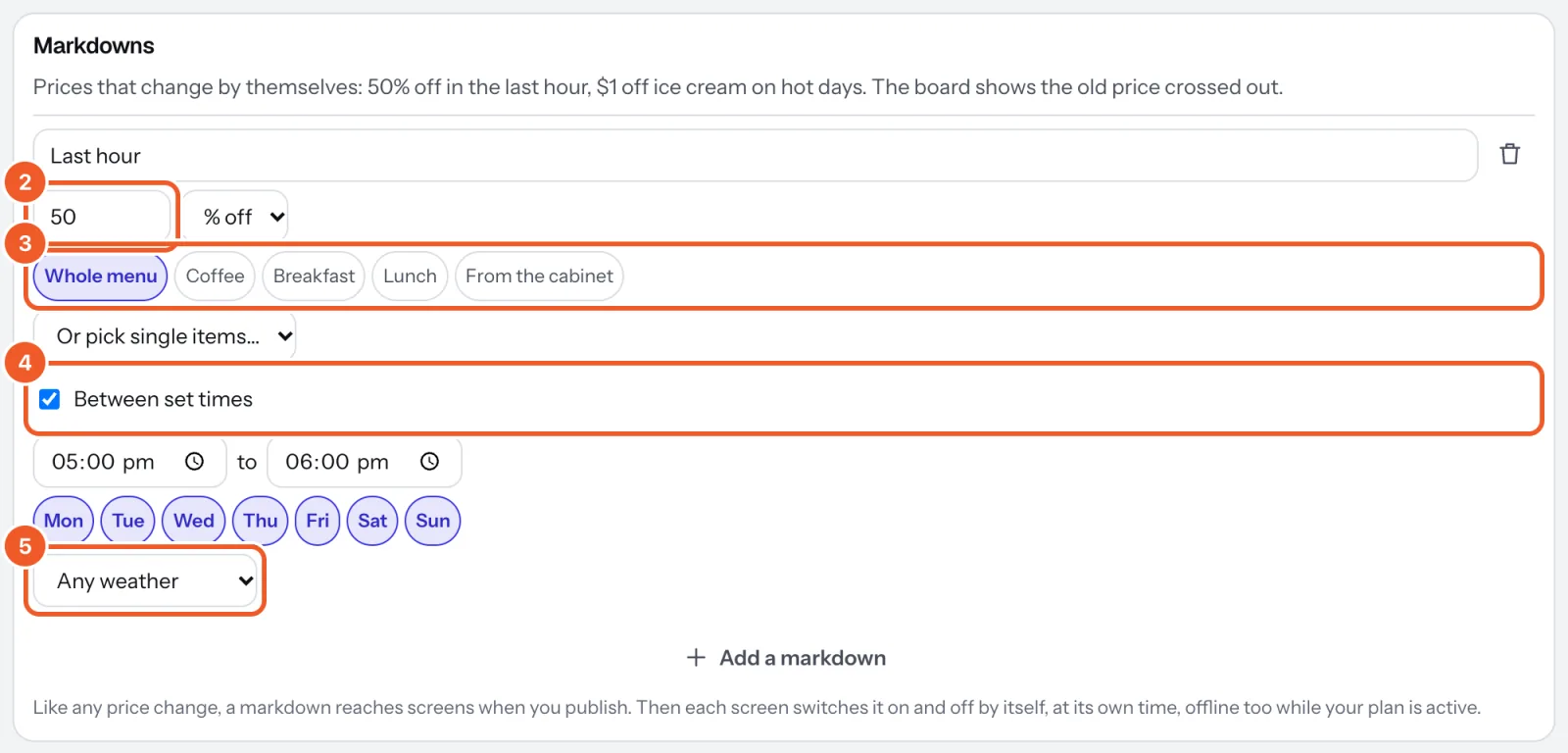
- In the menu's Settings tab, under Markdowns, press Add a markdown and give it a name.
- Set how much off: a number, then % off (1 to 90) or an amount off.
- Choose what it covers: Whole menu, one or more categories, or single items from Or pick single items.
- Choose when: tick Between set times and set them, untick days it doesn’t run, or both.
- If you like, pick a weather: raining, sunny, at least or below a temperature.
- Choose it under Showing in the preview to see the board with it on, then press Publish.
While it’s on, the board shows the old price small and crossed out just above the new one; it takes no extra room, so a board that fits without markdowns fits with them. A percentage is rounded down to 10 cents, so the price is never more than the discount you set. If two markdowns cover the same item, the lower price wins. A markdown with no times, days or weather is on all the time until you delete it.
After you publish, each screen switches markdowns on and off by itself, at its own local time, offline too while your plan is active. Weather markdowns read the weather town of each screen’s location (Weather town); where none is set, they stay off.
Thanks for telling us. If something’s missing, tell us what and we’ll add it.
Still stuck?
Email support@dislab.app, or send us a message. If it’s about a screen, tell us its name. We answer within one business day.