
Sold out, from a phone
ProMark items sold out from a phone at the counter or the menu editor; screens change within seconds, no publish needed.
- On a phone, open Menus and press Sold out beside the menu (or Sold out board in the editor). Add the page to your phone’s home screen to have it a tap away.
- Tap an item: it turns to Sold out and screens change within a few seconds. Tap it again to put it back In stock.
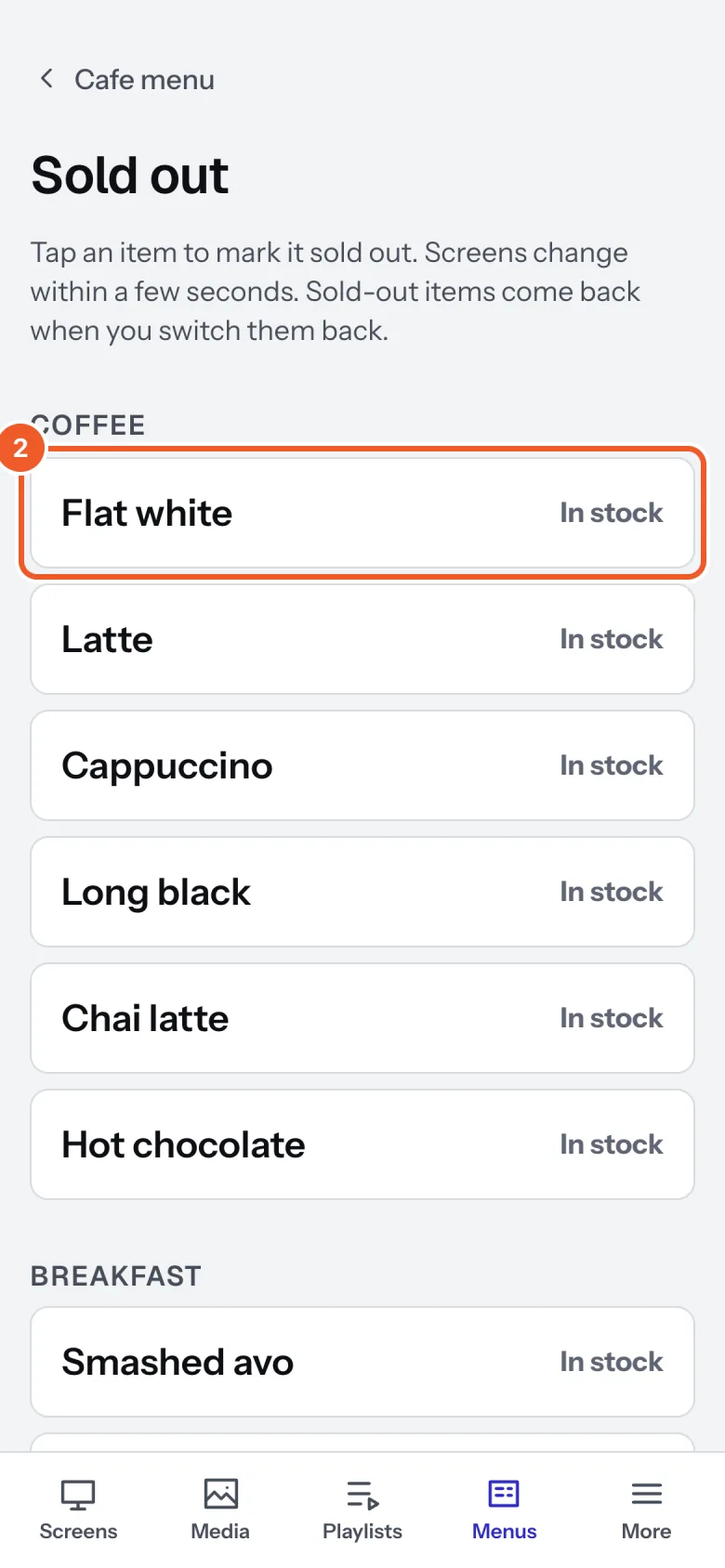
The same In stock buttons are beside each item in the menu editor. Either way, sold out goes live at once and doesn’t touch your unpublished changes. Whether sold-out items are crossed out or taken off the board is set on the sign’s Menu widget (Designing a menu board).
Sold out comes back: each menu chooses when items return by themselves:
- When I switch it back: only when someone taps it.
- When the menu next changes day-part: sold out at breakfast is back for lunch.
- The next morning at a time you set, such as 5am.
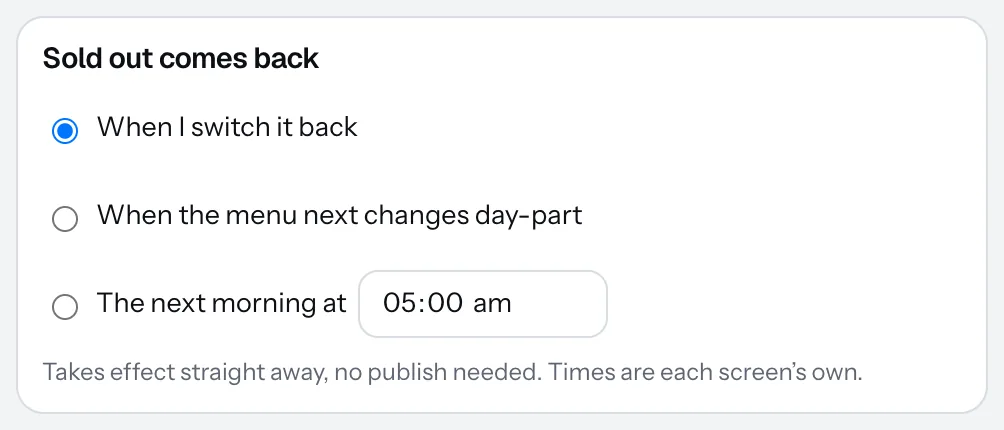
This takes effect straight away, and the times are each screen’s own. Give staff their own login as Staff (People in your account): they see only the phone pages, so they can mark sold out without your password.
Thanks for telling us. If something’s missing, tell us what and we’ll add it.
Still stuck?
Email support@dislab.app, or send us a message. If it’s about a screen, tell us its name. We answer within one business day.