
Getting help and suggesting ideas
Ask us in the console: we see your account and screens, answer by email, and you can reply there. Ideas for widgets go straight to the Dislab team.
- In Help, press Ask us (or go to Get help and press Ask us). Choose What it’s about; for a screen, pick Which screen too.
- Give it a Subject and say under What’s happening what you did, what you expected and what happened instead.
- Press Send.
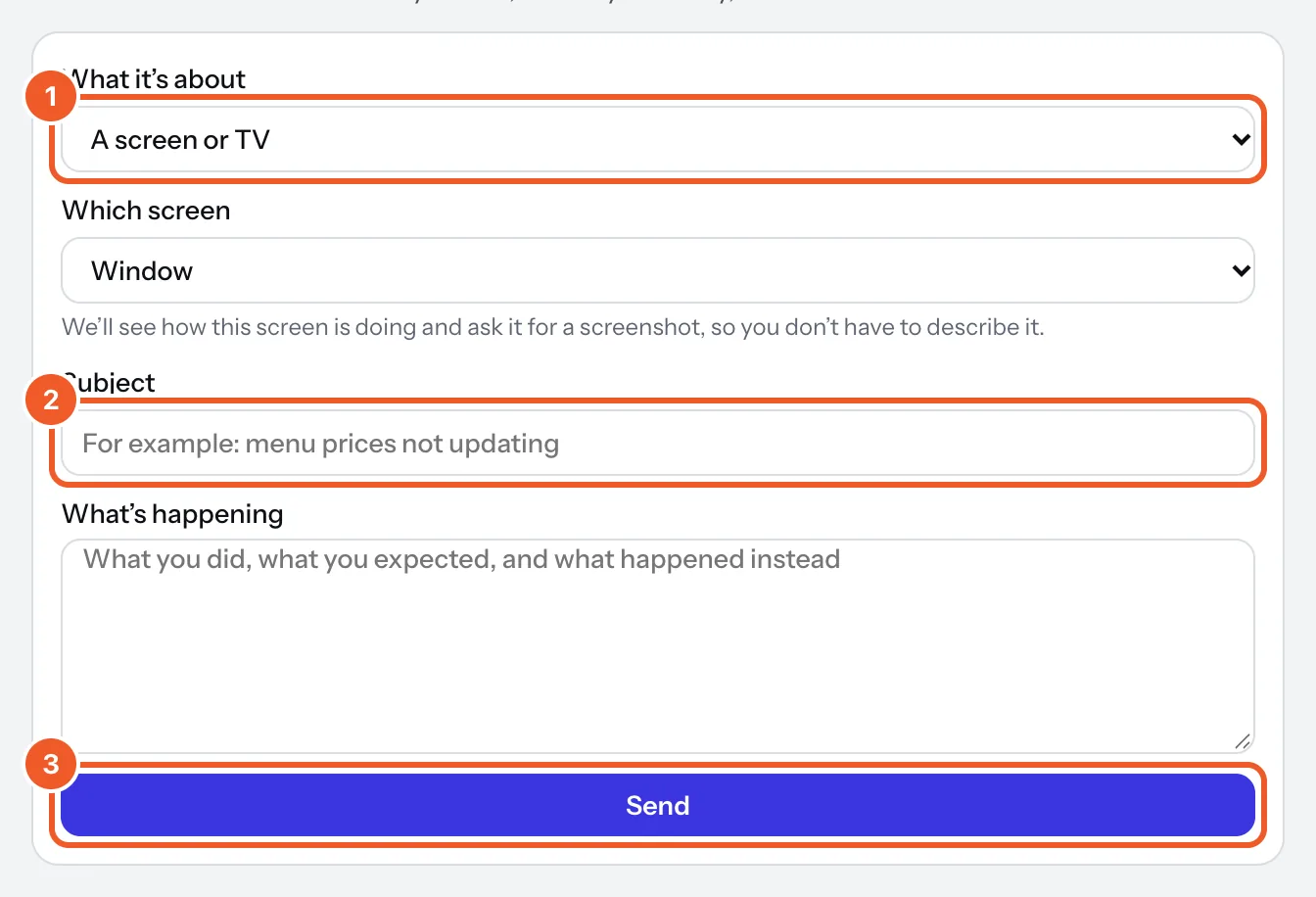
Our answer comes by email and shows under Get help, where each request says whether it’s with us or answered. Reply to the email, or open the request and use Send reply.
For a problem with one screen, open it in Screens and press Report a problem. We see how the screen is doing and ask it for a screenshot, so you don’t have to describe it.
On Pro we answer within one business day, Monday to Friday, Melbourne time. You can also email support@dislab.app from your account’s email.
Want something on your screens that Dislab doesn’t do? In the sign designer, press Add widget › Suggest a widget. It goes straight to the Dislab team.
Thanks for telling us. If something’s missing, tell us what and we’ll add it.
Still stuck?
Email support@dislab.app, or send us a message. If it’s about a screen, tell us its name. We answer within one business day.