
Now serving
ProA big queue number on screens that staff move on from a phone.
- In a sign, choose Add widget › Now serving. If you have no counter yet, “Counter 1” is made for you. Choose which counter under Number from, then set the Words above, an optional Letter before (A, B) and the Digits (7, 07, 007).
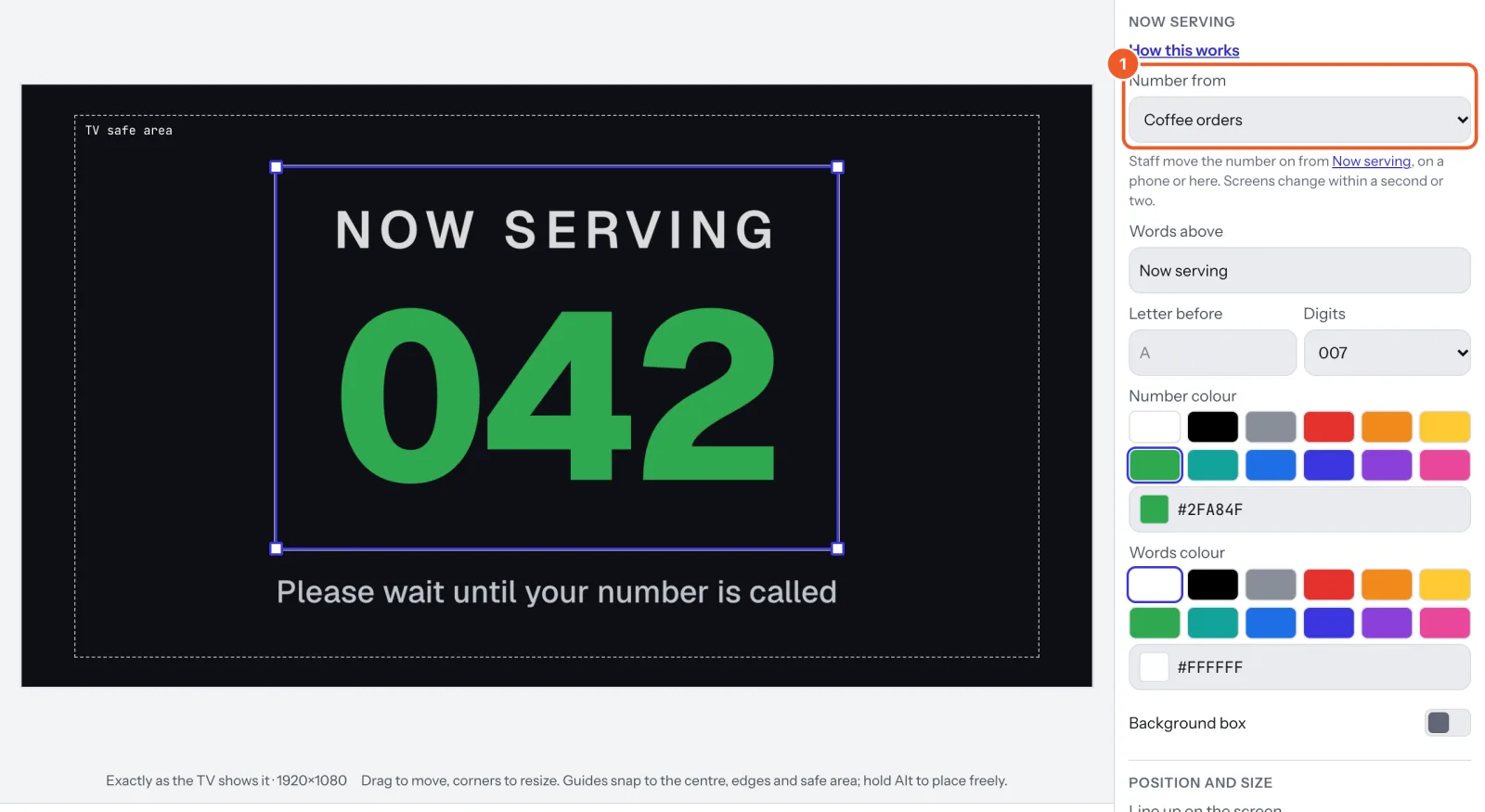
- Staff open Now serving (on a phone, under More) and press Next as each customer is called. Screens change within a second or two.
- Back fixes a mistake, Set a number jumps to one, Start from 0 starts the day again.
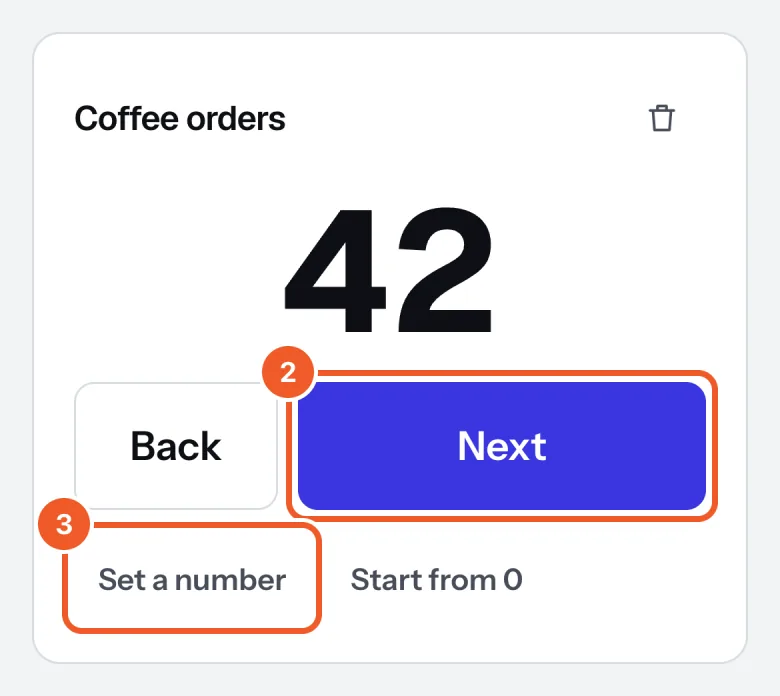
More counters (a second till, a pickup window): at the bottom of the page choose Queue number, name it and press Add counter, then pick it in each widget. A split-flap board can show the number too. Staff sign in with your login.
Thanks for telling us. If something’s missing, tell us what and we’ll add it.
Still stuck?
Email support@dislab.app, or send us a message. If it’s about a screen, tell us its name. We answer within one business day.