
Quotes: a new saying every minute
ProType a list of quotes or sayings; a split-flap board or a Quotes box shows them one after another.
- On a split-flap board: under What it shows, choose Rotating quotes. Each quote is wrapped across the board and centred, and the tiles flip to the next one. Set Rows on the board and Letters across so your longest quote fits; the panel lists any that don’t.
- On any sign: choose Add widget › Quotes. A long quote is drawn smaller to fit its box, and the next one fades in.
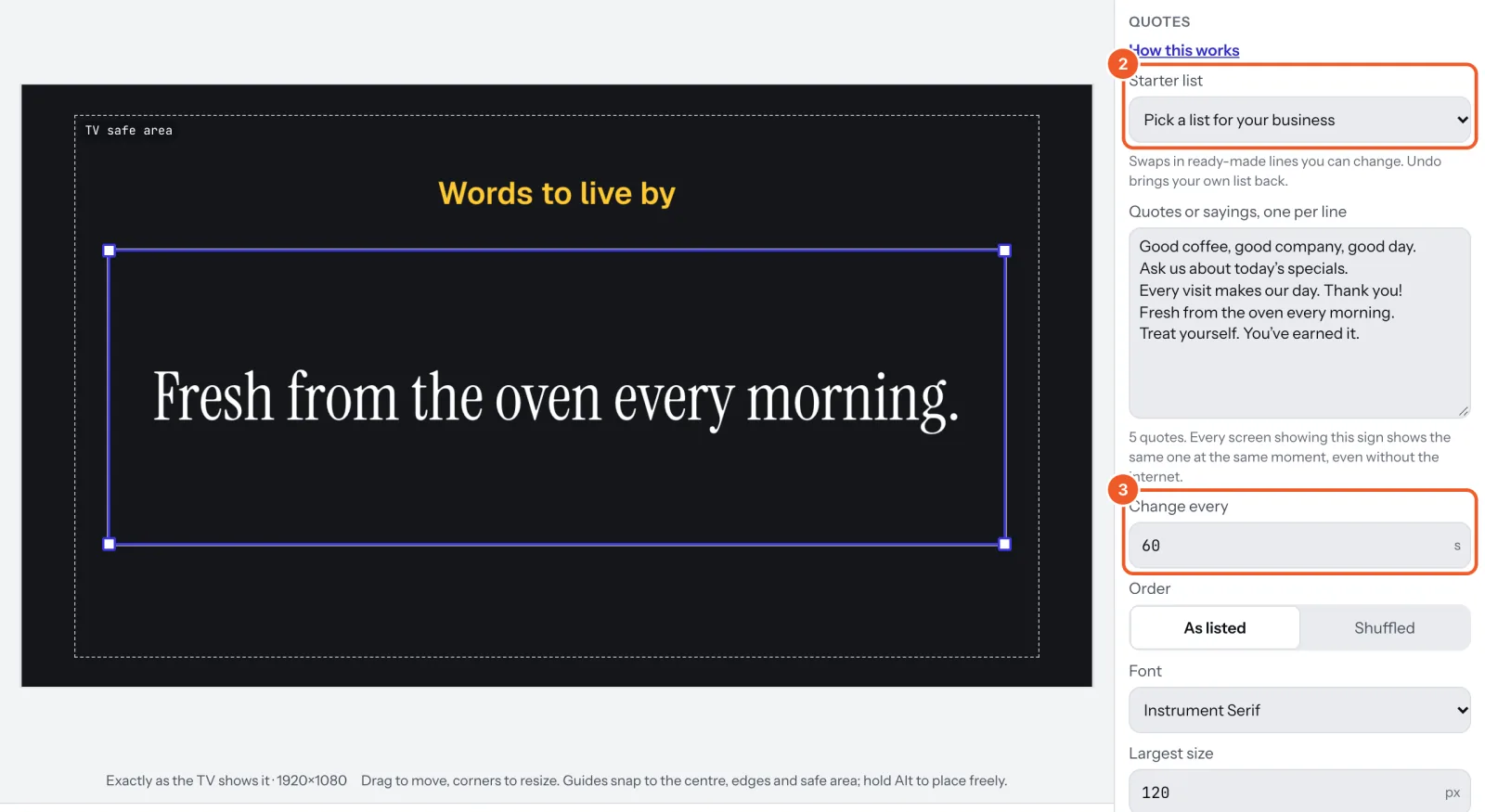
Type one quote per line, or pick a Starter list for your kind of business (workout motivation, coffee jokes, health tips, salon sayings and more) and change it from there; Undo brings your own list back. Change every sets how many seconds each stays (60 to start, 10 at least); Order is As listed or Shuffled. Every screen showing the sign shows the same quote at the same moment, without the internet too. The Quote board and Quotes templates start you off.
Thanks for telling us. If something’s missing, tell us what and we’ll add it.
Still stuck?
Email support@dislab.app, or send us a message. If it’s about a screen, tell us its name. We answer within one business day.