
Currency board
ProExchange rates with flags, gold and silver, in your currency, with your own buy and sell prices if you change money.
- In a sign, choose Add widget › Currency board, or start from a template in Signs › Templates › Currency and crypto.
- Set Your currency: every rate on the board is in it.
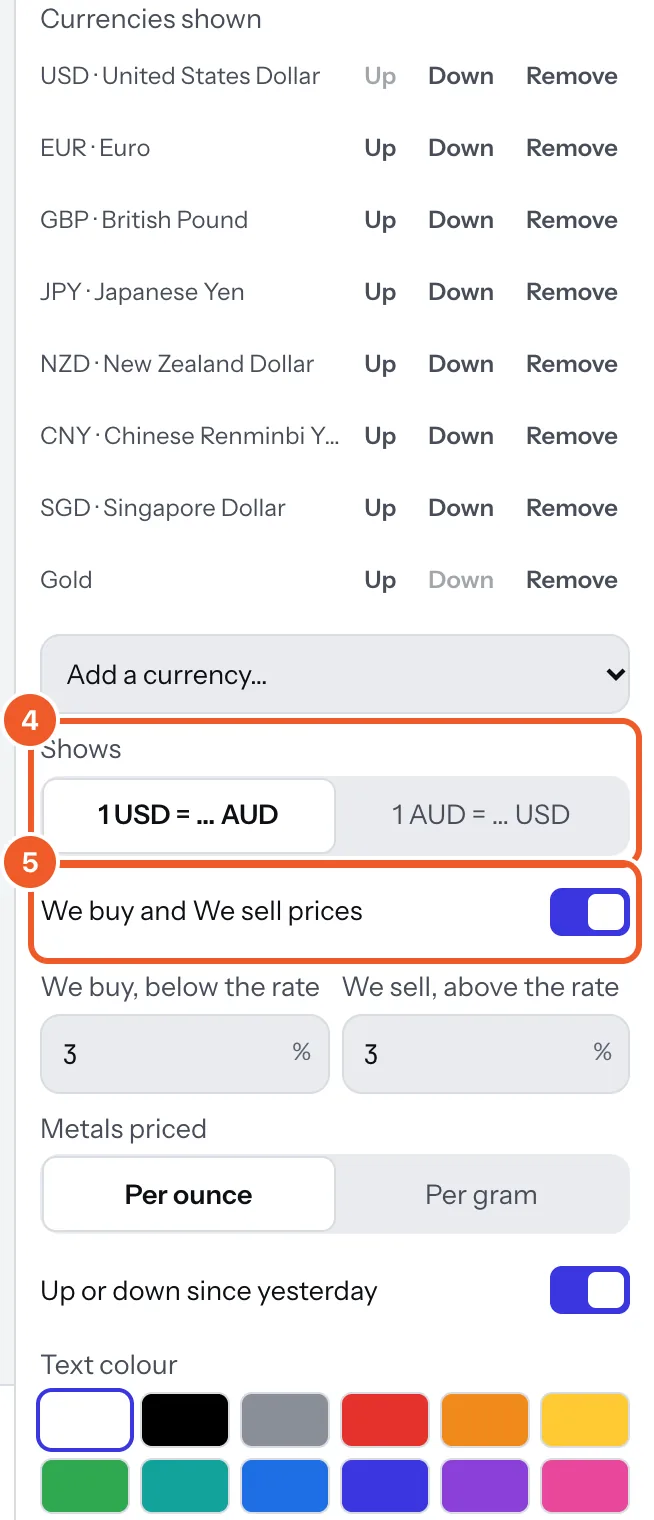
- Under Currencies shown, use Add a currency… to add up to 24; Up, Down and Remove change the list. Gold, silver, platinum and palladium are there too, priced per ounce or per gram (Metals priced).
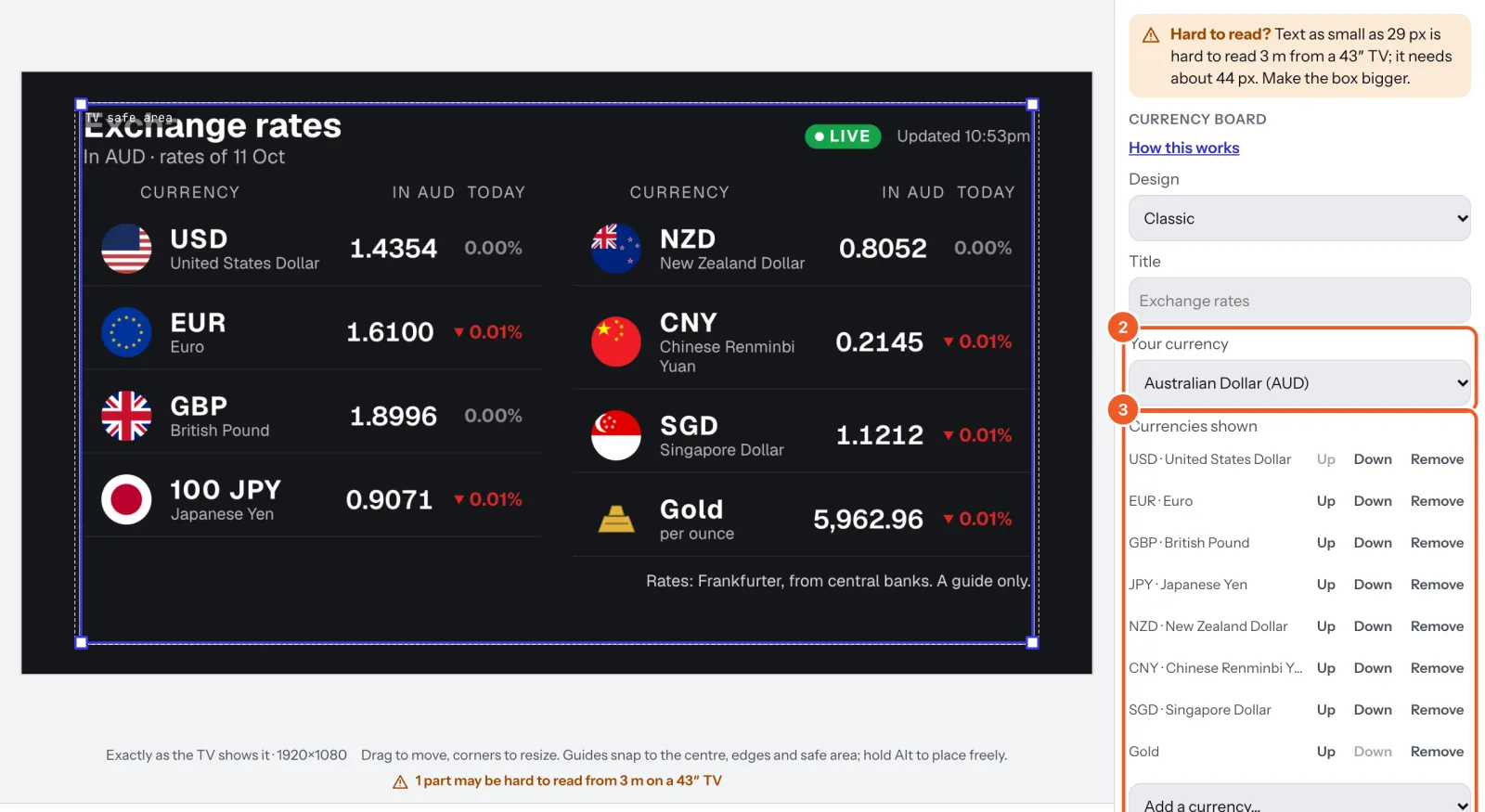
- Pick a Design (ten looks; the flags take each design’s shape), a Title, and what it Shows: what one of each is worth in your currency (1 USD = … AUD), or what one of yours buys.
- Changing money? Turn on We buy and We sell prices and set how far below and above the official rate you buy and sell, in percent.
Rates are the official daily rates from central banks, checked every hour, and each board shows Live and when it was last updated. Small currencies show per 100 or more (100 JPY, 10,000 VND). They are a guide only: your bank’s or your own rates may differ.
Thanks for telling us. If something’s missing, tell us what and we’ll add it.
Still stuck?
Email support@dislab.app, or send us a message. If it’s about a screen, tell us its name. We answer within one business day.