
Scoreboard
ProTwo teams, the score and the period, kept from a phone on the sideline.
- In a sign, choose Add widget › Scoreboard, or start from the Live score template. If you have none yet, “Scoreboard 1” is made for you.
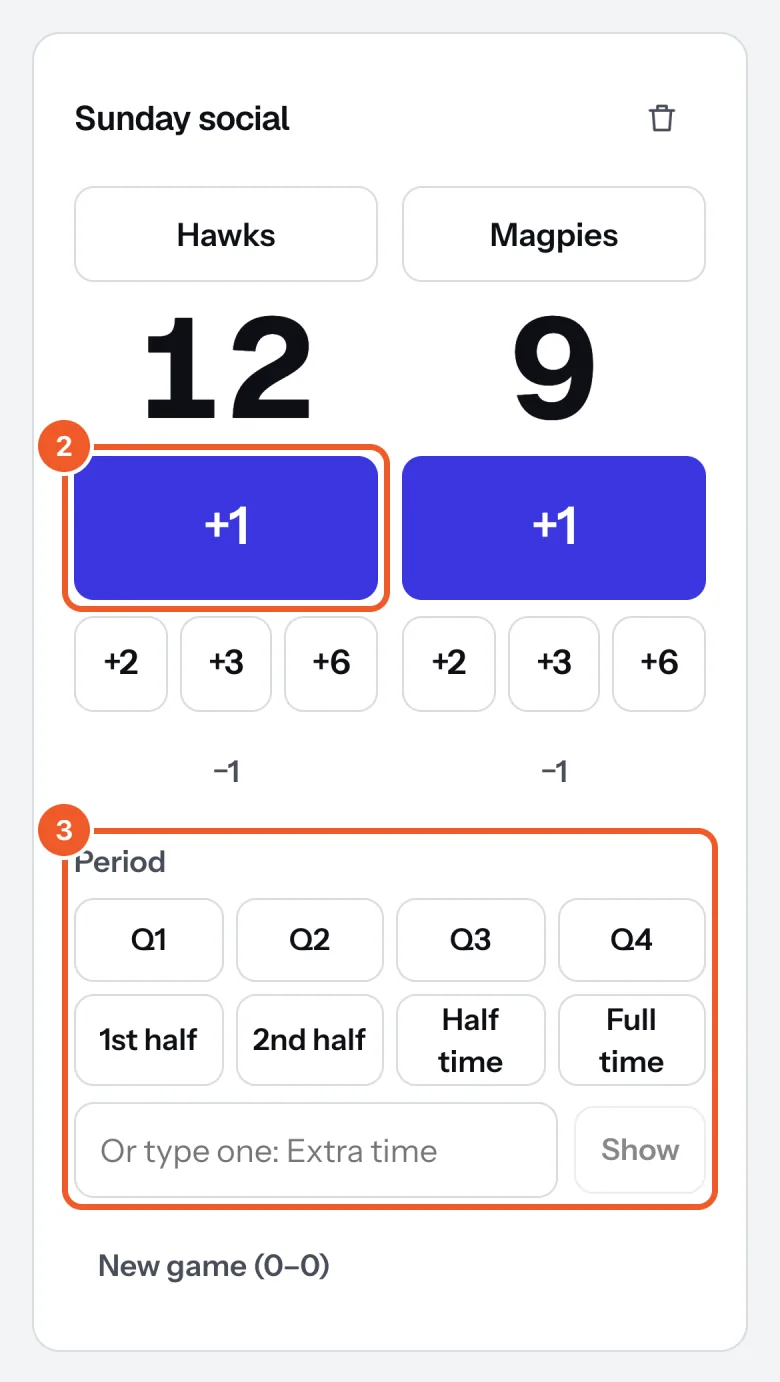
- Open Scoreboards (on a phone, under More). Tap a team name to change it, then press +1, +2, +3 or +6 as they score; −1 fixes a mistake.
- Tap the Period (Q1 to Q4, halves, Half time, Full time), or type your own and press Show. Tap it again to clear it. New game (0–0) starts again.
- In the sign, choose the board under Score from, the font, the colours and whether the period shows.
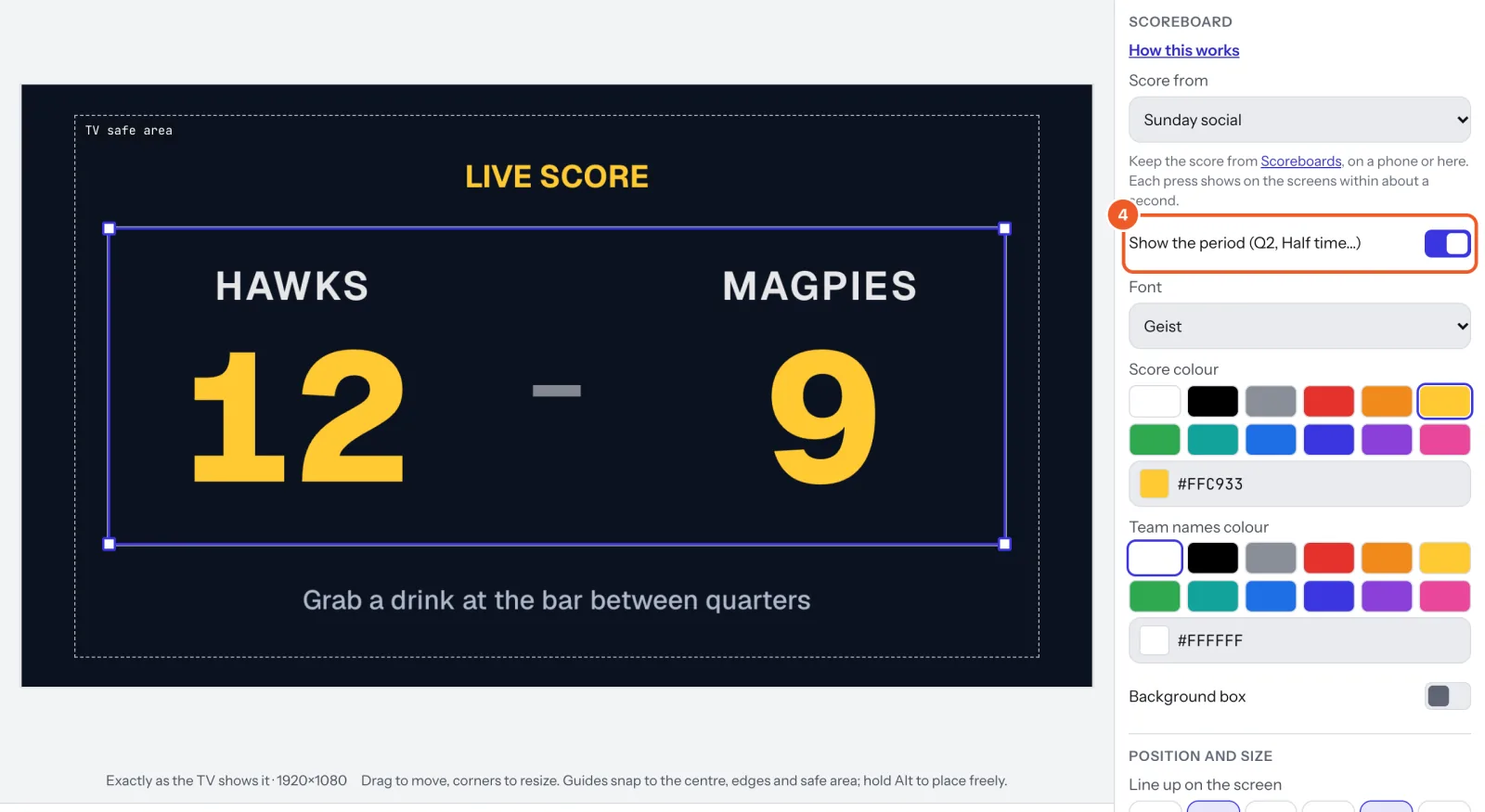
Each press shows on the screens within about a second. Two scorers can keep the same board from two phones; the page catches up every few seconds. More boards (a second court): name one at the bottom of the page and press Add scoreboard.
Thanks for telling us. If something’s missing, tell us what and we’ll add it.
Still stuck?
Email support@dislab.app, or send us a message. If it’s about a screen, tell us its name. We answer within one business day.