
Wait time
Pro“About 15 min” on screens, set by staff from a phone.
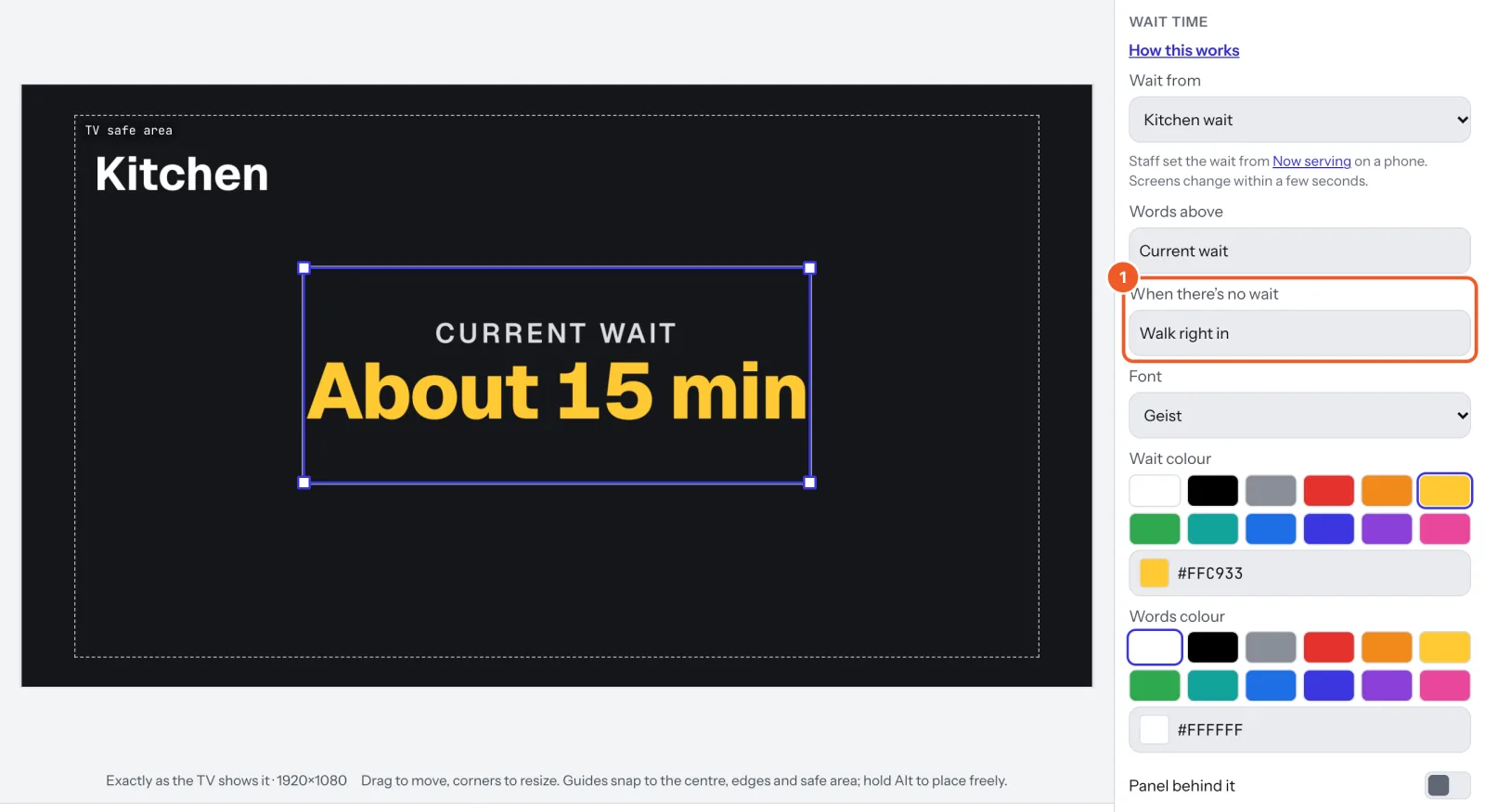
- In a sign, choose Add widget › Wait time (a wait called “Wait” is made if you have none). Set the Words above and When there’s no wait (“Walk right in”).
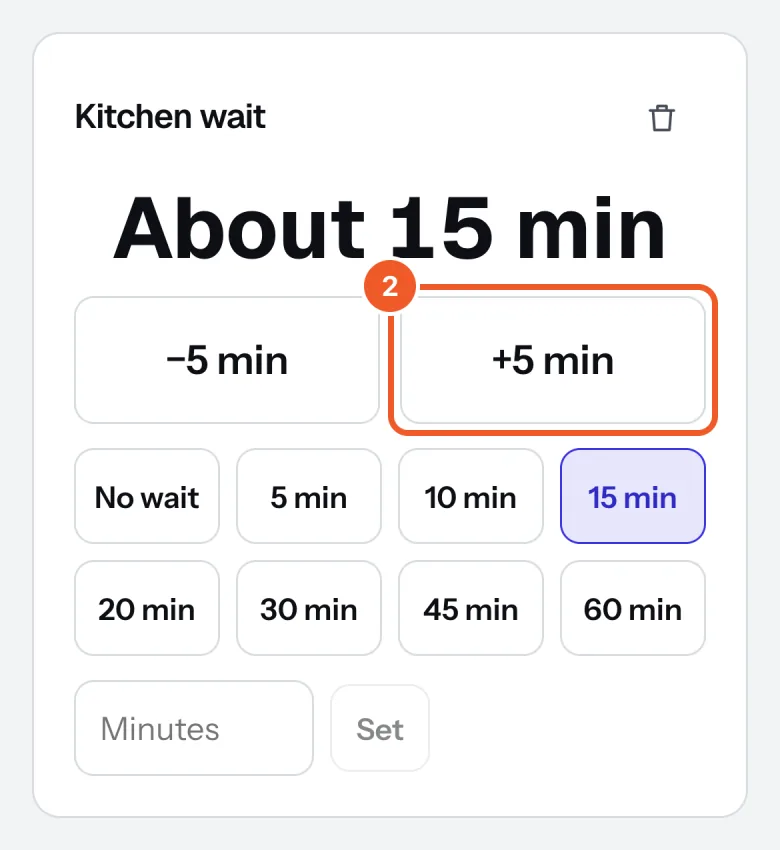
- On Now serving, tap a time (No wait, 10 min, 20 min…), or +5 min and −5 min, or type minutes and press Set.
To add another wait, choose Wait time at the bottom of the page, name it and press Add wait time.
Thanks for telling us. If something’s missing, tell us what and we’ll add it.
Still stuck?
Email support@dislab.app, or send us a message. If it’s about a screen, tell us its name. We answer within one business day.