
Play reports: proof of play
ProTurn on Keep play reports for totals of every play, and a spreadsheet of single plays.
- Open Play reports and tick Keep play reports. From then on every play on every screen is kept; nothing from before is.
- Choose the dates: Last 7 days, Last 30 days, This month, Last month, or Dates… for your own.
- Add up plays By item, By screen or By day: plays, screens and time on screen.
- Every play (CSV) downloads each single play (start, seconds, screen, location, item) for up to 31 days at a time, for an advertiser or your own records.
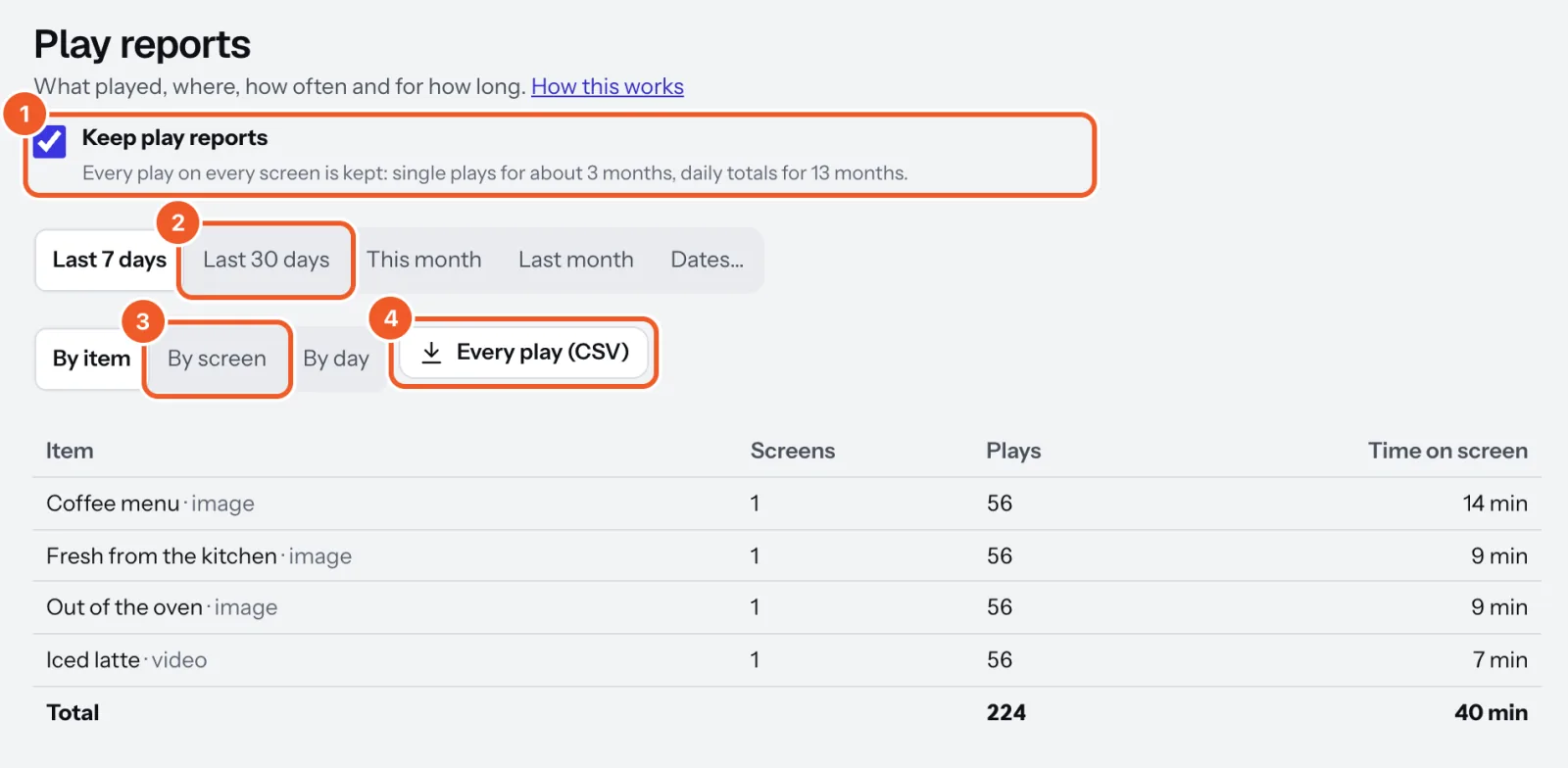
Single plays are kept for about 3 months, daily totals for 13 months. Screens send their log every 5 minutes and keep it while offline. Plays under a second aren’t counted; long single photos count in hourly pieces. Spreadsheet times are UTC; daily totals use each screen’s time.
Thanks for telling us. If something’s missing, tell us what and we’ll add it.
Still stuck?
Email support@dislab.app, or send us a message. If it’s about a screen, tell us its name. We answer within one business day.