
Ladders, leaders and fixtures
ProA league ladder, a leaderboard or your fixtures and results, typed in by you and shown on screens.
- Open Tables (on a phone, under More). Name a table, choose Ladder, Leaders or Fixtures and results, and press Add table. Tap a table’s name to open it.
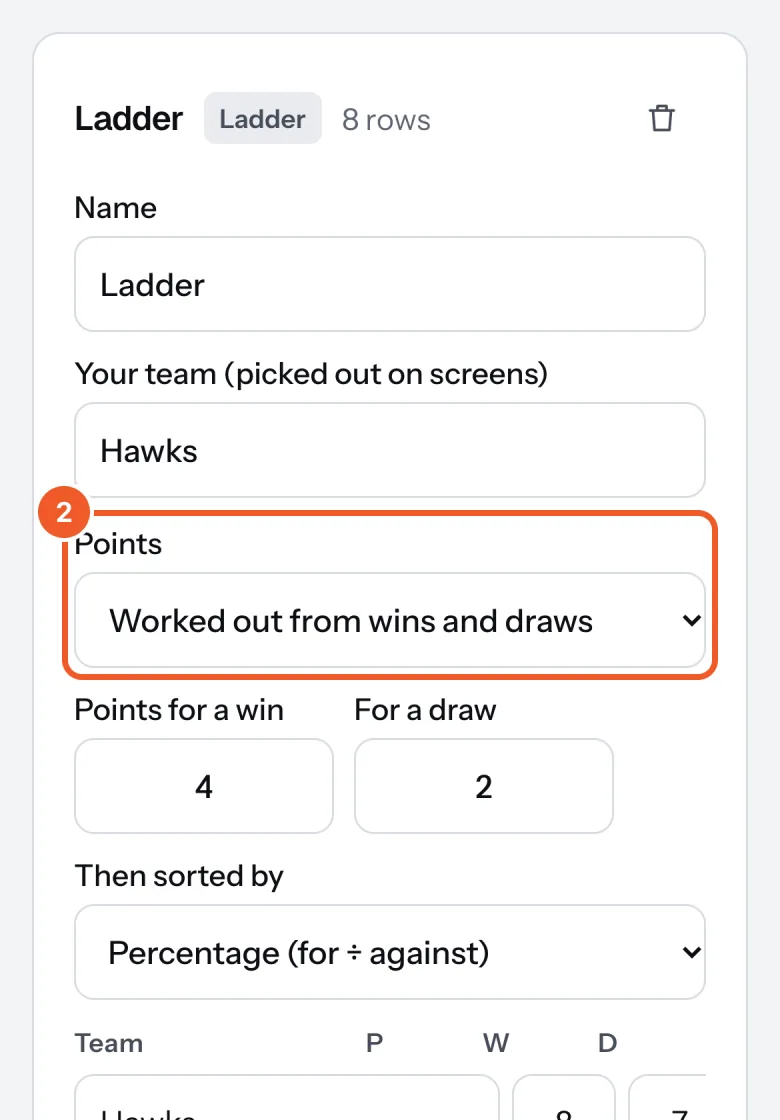
- Ladder: press Add a team for each team, with played, won, drawn, lost, and points for and against. Points are worked out (4 for a win, 2 for a draw unless you change them), or choose I type them in. Then sorted by percentage or difference. Screens sort the ladder for you.
- Leaders: a name, a team or detail, and a number (“Goals”, “Votes”). Highest first, lowest first (times, golf), or as you list them.
- Fixtures and results: each game’s round, date, time, teams and venue. Fill in both scores once it’s played and it moves from coming up to the results.
- Press Save and show. Every screen showing the table changes straight away.
- To show one, add a Table widget to a sign, or start from a Sport and clubs template; a template uses your table of that kind, or makes one filled with an example to type over. In the sign, choose the table under Shows, the Design, Rows at most, and for fixtures whether Games shows Coming up, Results or All.
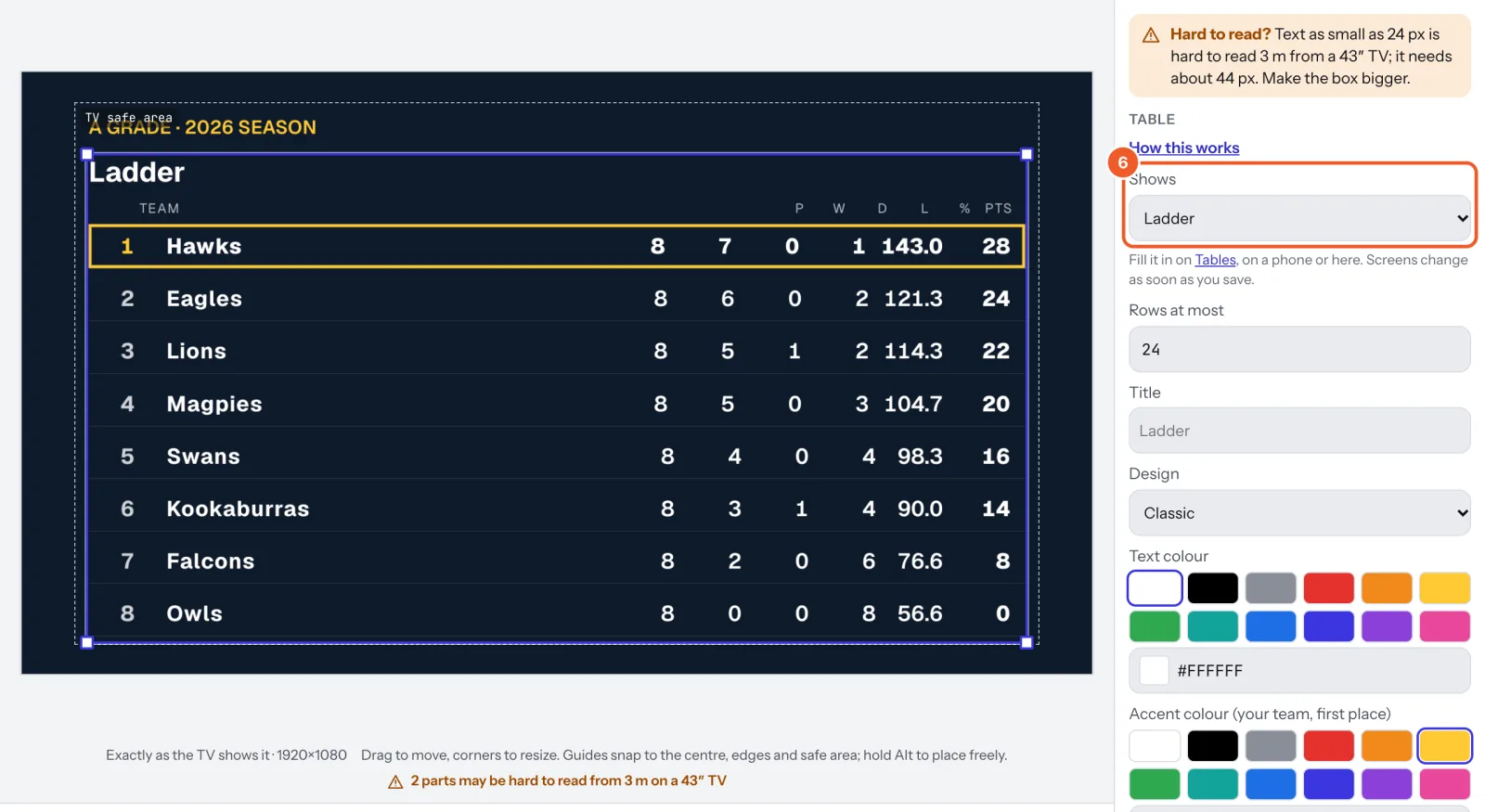
Your team is picked out on the ladder and among other teams’ games. Each table holds up to 60 rows.
Thanks for telling us. If something’s missing, tell us what and we’ll add it.
Still stuck?
Email support@dislab.app, or send us a message. If it’s about a screen, tell us its name. We answer within one business day.