
The TV’s clock is behind
Schedules, day-parts and opening hours follow the TV’s own clock, so set its date and time to automatic.
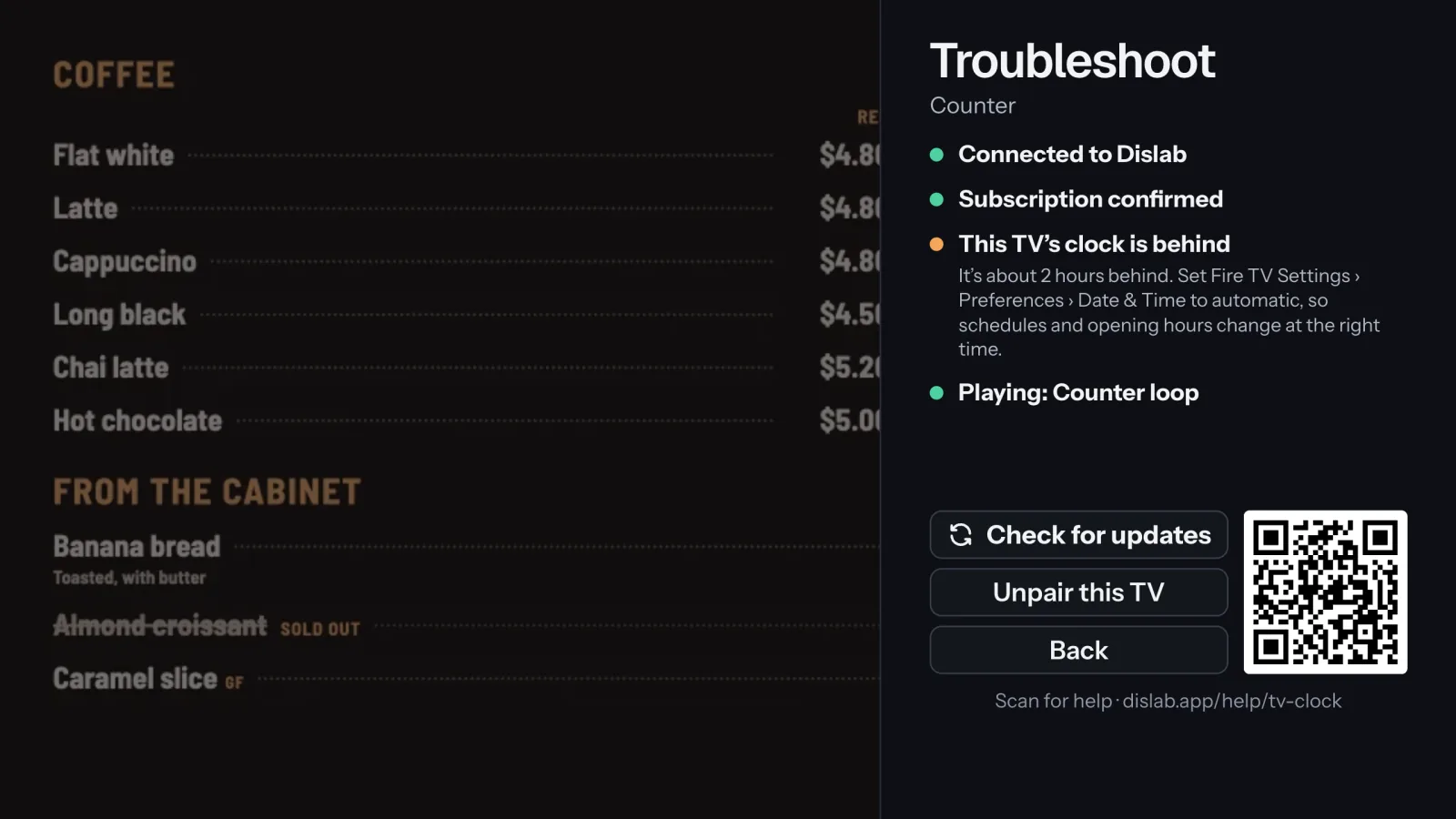
The TV decides what’s on by itself (it has to, to keep going offline), so its clock matters. When it’s more than 10 minutes behind the time Dislab last confirmed, Troubleshoot says how far behind it is.
- On a Fire TV stick: Fire TV Settings › Preferences › Date & Time, and set it to automatic. On an Android TV or Google TV stick: Settings › Device Preferences › Date & time.
- Make sure the stick is on the internet, so it can set its clock.
- Back in Dislab, press Check for updates. The line says Clock is right once it’s fixed.
Right time but the wrong hour? That’s the time zone: see Time zones. Clocks and schedules follow the location’s time zone, not the TV’s.
Thanks for telling us. If something’s missing, tell us what and we’ll add it.
Still stuck?
Email support@dislab.app, or send us a message. If it’s about a screen, tell us its name. We answer within one business day.