
Countdown
ProCounts down to a date and time, then shows a message or hides itself.
- In a sign, choose Add widget › Countdown. It starts a week from today at 5pm.
- Set Counts down to: the date and time, in the screen’s own local time. Type the Words above, like “Sale ends in”.
- When it reaches zero: a message (“We’re open”), or leave it empty to hide the countdown.
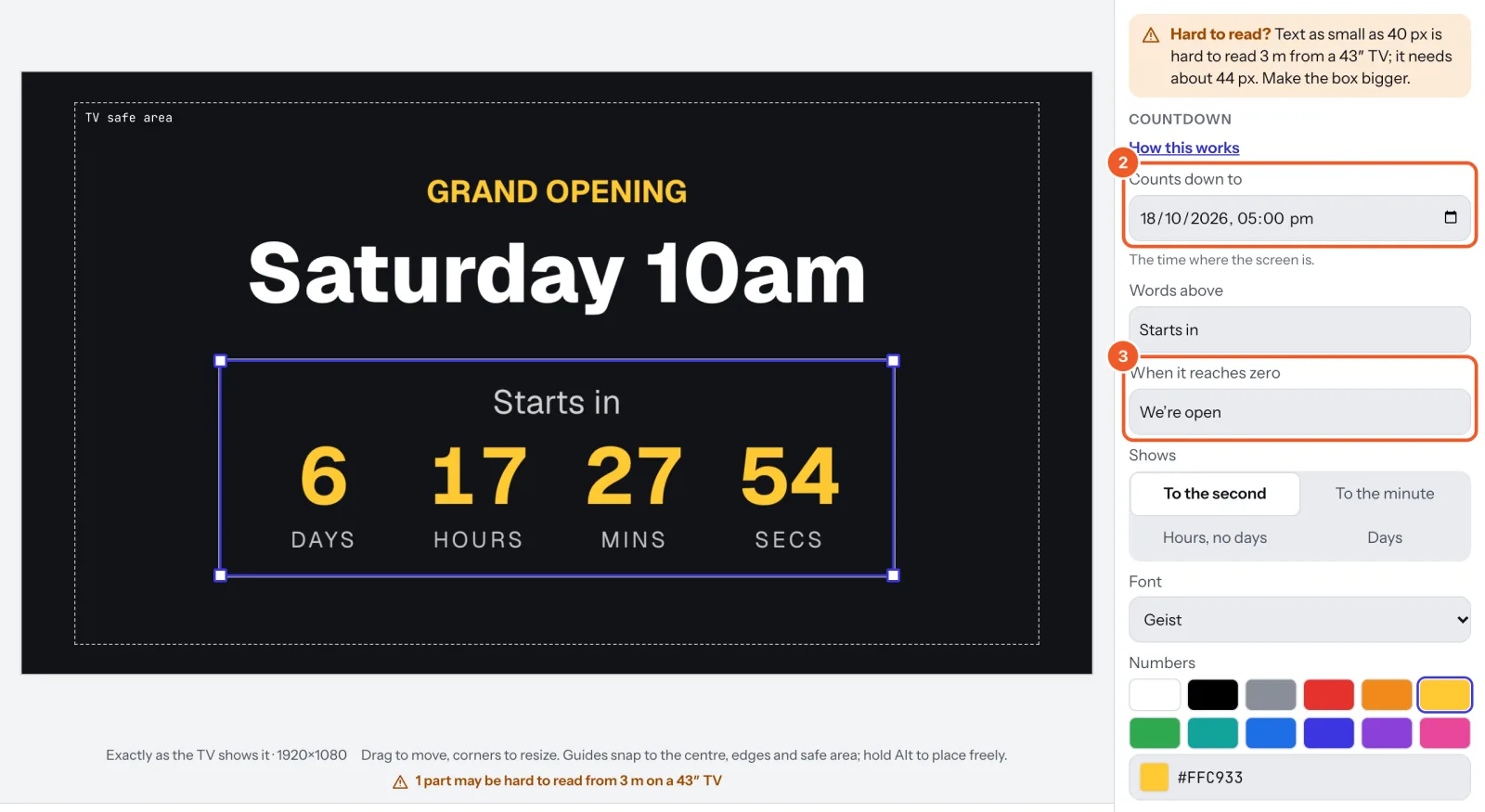
- Shows: To the second, To the minute, Hours, no days or Days. Then the font and the colours of the Numbers and Words.
The countdown runs on the TV itself, so it keeps counting without the internet.
Thanks for telling us. If something’s missing, tell us what and we’ll add it.
Still stuck?
Email support@dislab.app, or send us a message. If it’s about a screen, tell us its name. We answer within one business day.